Time Tracking Software Comparison: Office Punch vs Insightful
Which Is the Best Employee Monitoring Software for Your Business?
5 - Average Rating

Introduction
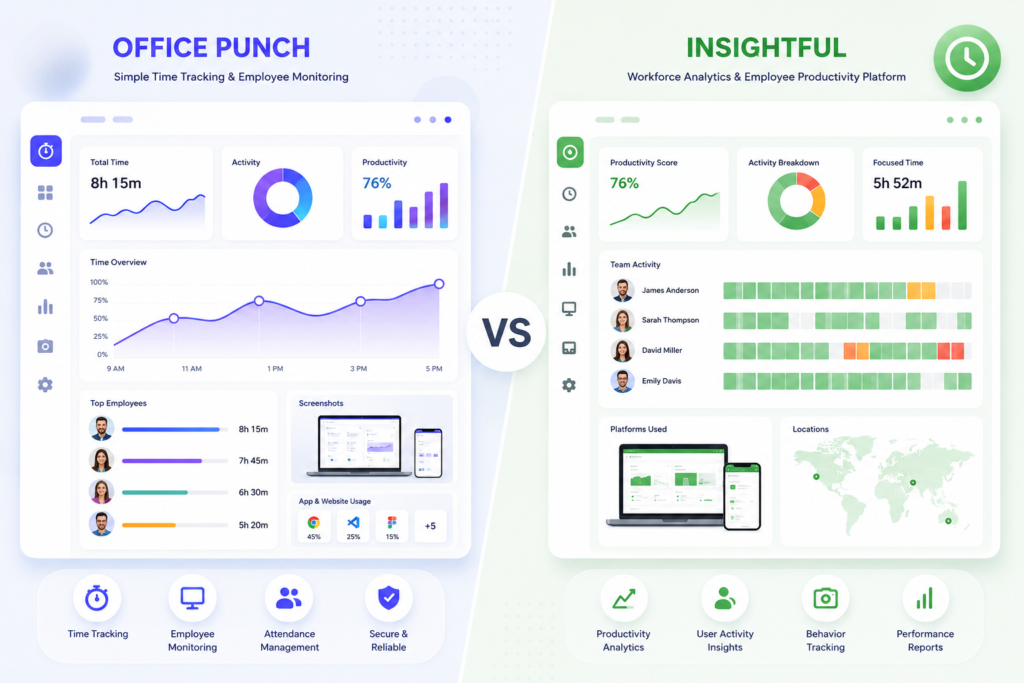
This page compares Office Punch and Insightful — two employee monitoring software platforms with different approaches to tracking time, measuring employee productivity, and managing workforce visibility — helping companies choose the right monitoring software based on their team size, security priorities, and budget. If your business needs a reliable time tracker with verified attendance, activity monitoring, and proof of work, this comparison will give you an accurate picture of which solution fits best.
Office Punch is a secure, desktop-based employee monitoring system purpose-built for attendance tracking, activity monitoring, and productivity visibility — with automated time tracking triggered at system startup and both IP-based and geo-location-based punch restrictions to ensure only verified, policy-compliant time entries are recorded. Insightful is a SaaS workforce analytics platform offering automatic time mapping, app and web usage tracking, screen monitoring, and productivity reporting — designed primarily for remote workers and distributed teams. Both are capable solutions, but they differ significantly in architecture, cost model, and the specific business needs they serve.
Feature Comparison: Employee Monitoring Features at a Glance
Feature
Office Punch
Insightful
Platform Type
Desktop-based (Windows)
SaaS — Windows, Mac, Linux
Primary Focus
Attendance & activity monitoring
Workforce analytics & productivity monitoring
Attendance Tracking
✅ Yes
✅ Yes
Automated Time Tracking
✅ Yes (clock-in at system startup)
✅ Yes (automatic time mapping)
Active vs Idle Time Monitoring
✅ Yes
✅ Yes
Random Screenshot Capture
✅ Yes (random, unpredictable)
✅ Yes (add-on module)
Keystroke Logging
✅ Yes
❌ No
App & Web Apps Tracking
✅ Yes
✅ Yes
IP-Based Punch Restriction
✅ Yes
❌ No
Geo-Location Punch Restriction
✅ Yes
❌ No
Audit Log / Audit Trails
✅ Yes
✅ Yes
Powerful Reporting / Activity Data
✅ Yes
✅ Yes
Insider Threat / Workspace Security
❌ No
✅ Yes (add-on)
Screen Recording
❌ No
✅ Yes (add-on)
Microsoft Teams Integration
❌ No
✅ Yes
Native Integrations (Jira, Slack etc.)
⚠️ Partial
✅ Yes (50+ tools)
Mobile App
❌ No (desktop only)
❌ No (not published)
Admin Web Dashboard
✅ Yes
✅ Yes
Unlimited Users (flat pricing)
✅ Yes
❌ No (per-user pricing)
Add-On Modules
❌ No
✅ Yes ($4/seat/mo each)
Free Plan
✅ Yes
❌ No (email/ticket only)
Credit Card Required to Start
❌ No
❌ No (7-day trial)
Phone Support
✅ Yes
No (email/ticket only)
Note: Based on publicly available information as of June 2026. Verify current features and pricing directly with each vendor before purchasing.
Punch
(Windows)
Activity Monitoring
Key Differences That Matter for Most
Attendance Tracking & Automated Time Monitoring
For most organizations, the ability to accurately capture working hours without relying on employees to manually log time entries is non-negotiable. Office Punch handles this through automated clock-in at system startup — the moment an employee’s PC powers on, their employee time begins recording. No manual input, no forgotten timesheets, no inflated hours. This gives management a genuinely accurate picture of attendance and working hours without any administrative overhead. Office Punch enforces attendance at the network and location level — both IP-based and geo-location boundary controls prevent punches outside approved environments. New hires are covered from day one. Insightful also provides automatic time tracking through its background time mapping engine. However, it offers no IP or geo-location punch restrictions — time data can be captured from any location, making it less reliable for businesses where verified, location-enforced attendance records are a compliance requirement.
Activity Monitoring, Employee Activity & Proof of Work
Office Punch builds activity monitoring around genuine proof of work. It tracks active versus idle time, monitors app and web apps usage, logs keystrokes, and captures screenshots at random, unpredictable intervals. Because screenshots fire at random, the data reflects actual behavior — not prepared snapshots. Full audit trails back every record for compliance and performance management, giving management better visibility into how employees spend their time than any self-reported system. Insightful offers strong activity tracking with real-time app and website usage data, productivity trend reports, and automatic time allocation. Its powerful reporting suite gives managers a clear view of how time is spent across tools and job function categories. Screenshot monitoring and screen recording are available — but as paid add-on modules at $4 per seat per month each, adding meaningfully to the base per-user cost. Notably, Insightful does not include keystroke logging at any plan tier — a gap for businesses that need that depth of activity data as part of their employee monitoring features.
Data Security, Employee Privacy & the Big Brother Factor
Office Punch operates as a desktop-based monitoring system, meaning activity data — including screenshots and keystroke logs — is processed and stored within the organization’s own infrastructure rather than on third-party cloud servers. For companies managing sensitive data or subject to data security and compliance requirements, this architecture reduces third-party exposure and keeps employee monitoring data under direct organizational control. The monitoring scope is also clearly bounded — working hours on company computers — which makes it easier to explain to employees without triggering big brother concerns that broader surveillance tools often raise. Employee privacy is respected by keeping monitoring proportionate and transparent. Insightful stores activity data in the cloud with US, EU, and Canadian data residency options — useful for distributed teams operating across regions. It includes a Workspace Security add-on for insider risk monitoring. For businesses where cloud storage is acceptable and analytics depth outweighs desktop-controlled architecture, Insightful works well. For those prioritizing on-premise control over sensitive data, Office Punch is the more defensible choice.
Pricing, Add-On Modules & Cost for Business
Office Punch offers a free basic plan with limited access — no credit card required. Core employee monitoring features including attendance tracking, activity monitoring, and screenshots are available on the premium plan with flat pricing and unlimited users. The cost does not escalate as the business grows or adds new hires — making it significantly more predictable for companies that need to monitor a large workforce without per-seat cost surprises. Insightful starts at $10 per user per month for the Workforce Analytics plan, rising to $15 and $20 per user per month at higher tiers. Key employee monitoring features like screen recording and Workspace Security are add-on modules at $4 per seat per month each — meaning the real cost for teams that need full monitoring depth is higher than the headline price. For larger businesses, this per-seat model compounds quickly. Phone support is not available; support is via email and ticket. A 7-day free trial with no credit card required is available for teams that want to start monitoring before committing.
Which Platform Is Right for Your Business?
Choose Office Punch If You Need:
- Need verified, location-enforced attendance with IP and geo-location punch restrictions
- Want automated clock-in at system startup — zero manual time
- Require keystroke logging and unpredictable random screenshots as proof of work
- Manage in-office or hybrid teams where attendance policy compliance is non-negotiable
- Need to track productivity across unlimited users without per-seat cost escalation
- Handle sensitive data and prefer desktop-controlled monitoring over cloud-stored activity data
- Want phone support and a free basic plan with no credit card required
Choose Insightful If You Need:
- Manage remote workers, remote teams, or distributed teams across multiple regions
- Need automatic time mapping and deep workforce analytics built for remote work
- Want native integrations with tools like Microsoft Teams, Jira, Slack, and BambooHR
- Can absorb per-user pricing and add-on module costs for screen recording and security features
- Need cloud-based data residency options across US, EU, and Canadian jurisdictions
Final Verdict: Office Punch vs Insightful
For businesses where attendance policy compliance, location-verified time entries, and desktop-controlled data security are the priority — Office Punch is the stronger, more cost-effective solution. Its automated clock-in at system startup, IP and geo-location punch restrictions, keystroke logging, unpredictable screenshot capture, and unlimited users on flat pricing give most organizations everything they need from employee monitoring software without per-seat cost escalation or dependency on add-on modules.
Insightful is a well-built platform for remote workers and distributed teams that need deep workforce analytics, automatic time mapping, and a wide range of native integrations including Microsoft Teams. For companies that can justify the per-user pricing and add-on module costs, Insightful offers genuine analytical depth. But for the majority of businesses — in-office, hybrid, or remote on company desktops — Office Punch delivers better visibility into working hours, stronger attendance controls, and a more predictable total cost.
Ready to start monitoring with confidence? Try Office Punch today — no credit card required for the basic plan, unlimited users on premium, no per-seat surprises.
Testimonials
HR Director
“Automatic time tracking improved our team productivity.”
Operations Manager
“Custom reports gave us clear insights into work hours.”
Staffing Agency Owner
“We reduced manual time tracking errors.”
Business Owner
“Simple setup made onboarding easy.”
IT Manager
“Geo restrictions strengthened attendance control.”
FAQ
Frequently Asked Questions
What is the best employee monitoring software for attendance tracking?
For businesses where attendance tracking accuracy and policy enforcement are the top priority, Office Punch is the best employee monitoring software choice. Its automated time tracking at system startup, combined with IP-based and geo-location punch restrictions, ensures every time entry is verified and tamper-resistant. Insightful offers attendance tracking as part of its broader workforce analytics suite, but without location-based punch restrictions, its attendance data relies on employee activity rather than enforced access controls.
What employee monitoring features should I look for?
The core employee monitoring features most organizations need are: automated time tracking without manual input; active versus idle time monitoring; app and web apps tracking; screenshot capture; audit log and audit trails; and attendance controls that prevent unauthorized time entries. Office Punch covers all of these natively. Insightful covers most, but charges for screenshots as add-on modules and does not include keystroke logging at any tier.
How does automated time tracking help measure productivity?
Automated time tracking removes the reliance on employees to self-report how they spend their time, which is the single biggest source of inaccuracy in productivity monitoring. When working hours are captured automatically — as they are in Office Punch at system startup — management gets an accurate picture of actual attendance and activity. Combined with active versus idle tracking and random screenshot capture, the activity data gives managers the better visibility they need to measure productivity objectively, identify gaps, and act on evidence rather than assumption.
Is Insightful suitable for in-office teams and attendance tracking?
Insightful is designed primarily for remote employees, remote work environments, and distributed teams. It performs well for workforce analytics and productivity monitoring in those contexts. For in-office and hybrid teams where attendance policy enforcement — including location-verified punches — is a management requirement, Insightful’s lack of IP-based and geo-location restrictions is a meaningful limitation. Office Punch is the stronger solution for businesses where attendance accuracy and location-based security are non-negotiable.
What is the big brother concern in employee monitoring and how should businesses address it?
The big brother concern is the perception among employees that monitoring software crosses into invasive surveillance. The best way for businesses to address it is to keep monitoring scoped to work activity on company-owned devices during working hours, communicate the monitoring policy clearly, and choose tools that are proportionate to actual business needs. Office Punch is built around this principle — tracking attendance and activity during working hours on company computers, without behavioral profiling or always-on video recording. This makes it far easier to explain to employees and maintain trust while still giving management the visibility it needs to improve productivity and enforce attendance policy.
Does Office Punch work for remote employees?
Office Punch is a desktop-based employee monitoring system for employees working on company-managed PCs or laptops. It does not offer mobile-based time tracking. For remote employees using company-issued desktops or laptops, Office Punch operates fully — capturing attendance, activity data, and screenshots from any location, within the IP or geo-location boundaries the admin configures. This means remote work is subject to the same attendance controls and activity monitoring as in-office work.
How does per-user pricing affect the total cost of employee monitoring software?
Per-user pricing means every employee added increases the monthly cost. For larger businesses and growing companies, this compounds quickly — especially with add-on modules like screen recording adding $4 per seat on top. Insightful’s base plan starts at $10 per user per month, but teams needing full monitoring depth can see costs rise significantly. Office Punch’s flat pricing with unlimited users stays predictable regardless of team size — making it a more economical solution for most organizations as they add new hires.
What is activity tracking and why does it matter for productivity monitoring?
Activity tracking is the monitoring of what employees do on their computers during working hours — apps used, web apps visited, active versus idle time, and screenshot evidence. It gives management objective activity data to track productivity without relying on self-reporting. Office Punch delivers this through app monitoring, keystroke logging, active versus idle time capture, and random screenshots — giving businesses a complete, factual record of how employees spend their working hours.
Legal Disclaimer
This comparison is based on publicly available information from the official websites of Office Punch and Insightful as of June 2026. All trademarks and product names remain the property of their respective owners. This content is for informational purposes only and does not constitute purchasing, legal, or compliance advice. Features and pricing may change; verify current details directly with each vendor before making a decision. Office Punch is the publisher of this content and has a commercial interest in presenting its platform favorably.