Running a successful business requires a clear view of how hours are used. In a modern workspace, managers need more than a manual clock. They need a system that ensures accountability and rewards focus. Modern employee time tracking software provides this clarity. It is not about micromanagement. It is about creating a fair environment where work is visible. This guide explains how to transition from old methods to automated systems. You will learn to improve payroll accuracy and support your staff with data. Unlike other tools Office Punch helps you build a culture of high performance and trust.
What are the best practices for monitoring remote employees?
Managing remote teams requires a shift in mindset. You cannot walk over to a desk to see if a person is working. You must rely on objective data instead. Digital tracking software provides the necessary visibility without being intrusive.
The best approach is transparency. Tell your team members exactly how the system works. Explain that the time tracking tool records when they start their computers. This automated time tracking begins the moment the laptop or PC turns on. This removes the stress of forgetting to punch in.
- Implement Random Proof of Work: Use tools that capture screenshots at unpredictable intervals. This ensures high productivity tracking and discourages distractions.
- Monitor Activity Levels: Look for idle time detection to see when workers are away from their desks. This helps in understanding true employee time.
- Encourage Boundaries: Use time tracking data to ensure employees do not work too long. A better work life balance leads to higher retention.
- Use Central Dashboards: Admins should use a web-based dashboard to see all team members at once.
Effective monitoring focuses on time spent being active. It helps you see if someone is struggling with their workload. By using employee monitoring software, you can offer support before an employee feels overwhelmed.
Employee tracking software vs. manual tracking
Many small businesses still use paper logs or spreadsheets. These methods are outdated and slow. Manual tracking leads to errors in tracking hours. It often results in “time theft” or accidental overpayments. These mistakes increase administrative overhead and hurt the bottom line.
Employee time tracking software removes human error. It provides accurate tracking by linking directly to system activity. When the computer starts, the time tracker starts. This ensures payroll accuracy for every pay cycle. Employees feel confident knowing they receive pay for every minute of work.
Manual systems require constant reminders. Managers spend hours chasing down time logs. With automatic time tracking, the data is always ready. You can export data for payroll in seconds. This saves time for both managers and staff.
Security is another major difference. Manual logs have no verification. Modern tracking tools use location tracking via desktop geo-boundary enforcement. They also use IP-based restrictions. This ensures that an employee time tracking app only allows punches from approved locations or networks. This level of security is impossible with a paper sheet.
Understanding the value of time tracking data
Data helps you manage your workforce more effectively. When you track employee time, you see patterns of behavior. You can identify who is most active and who needs more guidance. This productivity tracking is essential for small teams looking to grow.
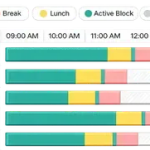
- Workforce Utilization: See how employee hours are distributed across the day.
- Attendance Automation: Eliminate the need for manual attendance checks.
- Activity Visibility: Use detailed reports to see active vs. idle time ratios.
Even without project management features, this data is vital. It allows for better team management. You can ensure that no one is juggling multiple clients or outside interests during company time. The time tracking data provides the proof you need for performance reviews.
Key features of the best employee time tracking software
The best employee time tracking tools focus on reliability and security. You need a time tracking tool that works without constant supervision. Here are the key features to look for:
- Automatic Time Tracker: The software should trigger on system startup. This ensures you track employee time from the first minute.
- Screenshots and Activity Proof: Random captures provide high-level employee monitoring. Since the intervals are random, they provide an honest look at the workday.
- Geo-Location and IP Restrictions: Secure your attendance tracking. Use geo-boundary enforcement to limit where a person can log their employee hours.
- Idle Time Detection: The system should detect when a keyboard or mouse is not moving. This ensures time spent is actually time worked.
- Offline Time Tracking: If the internet connection drops, the tracking app must continue to record. It should sync when the user is back online.
- Web Dashboard for Admins: Managers should have a secure place to view time logs and detailed reports.
- Responsive Customer Support: You need a provider that answers questions quickly. This ensures your time management apps always run smoothly.
Implementing a time tracking software in small businesses
Introducing a time tracker can be simple. Start by explaining the benefits of automated time tracking. Focus on how it simplifies payroll and ensures fairness.
Many businesses start with a free plan. While a free plan usually offers limited access, it helps you get used to the interface. However, for features like screenshots, idle time detection, and location tracking, you will need paid plans. Most paid plans start at a low monthly fee. These advanced features provide the security that small businesses need.
Training is important for all the tools. Show your team how the tracking software launches at startup. Explain the location tracking rules so they know where they can log in. This reduces the learning curve and prevents confusion. Once the system is in place, you will see a significant drop in administrative overhead.
Improving workforce management with time tracking
A strong time tracking software improves your overall operations. It allows you to manage unlimited users across different job sites (via desktop punches). You gain a clear understanding of your employee time costs.
- Better Work Life Balance: Use time tracking features to prevent overtime.
- Payroll Efficiency: Link your time logs to your payment system.
- Activity Reports: Review screenshots to verify work quality.
Even though Office Punch does not have project management, it supports project tracking in a broader sense. You see the total effort given to the company each day. This visibility is the first step toward a more productive team.
FAQ
Does the software track me via a mobile app?
No. Office Punch is a desktop-based employee time tracking software. It records work on your PC or laptop. Admins can view the data through a secure web dashboard. There is no mobile app for tracking.
When does the automatic time tracking start?
The automatic time tracker triggers as soon as the employee starts their PC or laptop. It does not require the user to remember to press a start button.
How does geo-location work on a desktop?
The system uses geo-boundary enforcement and IP-based restrictions. This ensures that attendance tracking only happens when the employee is at a sanctioned location, like their home office or the main office.
Are the screenshots predictable?
No. The employee monitoring software takes screenshots at random intervals. This provides a genuine look at employee hours and ensures the highest level of productivity tracking.
Is there a free version available?
Yes. There is a free plan, but it provides limited access. To use time tracking capabilities, screenshots, and idle time detection, you must subscribe to one of the paid plans.
Conclusion – Track Time with Office Punch
Effective employee time tracking is a necessity for the modern business owner. It provides the accurate tracking needed for growth. By choosing a secure time tracking software, you protect your company and your employees. You replace doubt with time tracking data. You eliminate manual errors and improve payroll accuracy. Focus on the long-term benefits of visibility and fairness. Your team will be more focused, and your business will be more secure. Start your journey toward better team management today with a professional time tracking tool.
Looking for the best software to track employee hours?
Explore how automated attendance and activity visibility can transform your daily operations. Visit OFFICE PUNCH today to discover a more secure and efficient way to track employee time. Experience firsthand how time tracking benefits your workflow, and enhances team efficiency. Office Punch has a dedicated free plan with generous features that will cover all your basic time tracking needs.
Tags