Managing a modern workforce requires a clear understanding of daily activity. Business owners today face new challenges in maintaining visibility. It is no longer about watching a desk. It is about understanding how employee computers are used during work hours. Time and Attendance Software provides the data needed to lead effectively. This practice is not about employee surveillance. It is about creating a transparent system for remote and hybrid teams. When you track hours, you gain a clear view of your workforce management. Office Punch offers a professional way to track employee time and attendance and secure this data. We help you build a culture of accountability and trust through reliable automated time tracking.

What are the benefits of tracking employee attendance?
Implementing a robust attendance software solution offers more than just a list of names. It provides real time visibility into your daily operations. For most businesses, the goal is to move away from manual logs. You need a system that integrates seamlessly with the daily routine of your team members.
A primary benefit is payroll accuracy. When you track employee attendance digitally, you eliminate manual errors. Your payroll processing becomes faster and more reliable. This ensures employees receive pay for the exact hours worked.
- Improved Workforce Management: Gain real time reporting on who is active. This helps managers understand workforce management at a glance.
- Reduced Administrative Overhead: Automated time triggers remove the need for manual timesheet collection. This saves time for both managers and staff.
- Enhanced Activity Monitoring: Use activity monitoring to see active versus idle time. This provides an honest view of workplace productivity.
- Accurate Records for Compliance: Maintain accurate records to ensure compliance with labor laws. This protects the business during audits.
Employee attendance tracking software vs manual tracking
Many small businesses still rely on paper logs or spreadsheets. These methods are outdated and slow. Manual tracking leads to payroll errors and disputes. It often results in time theft or accidental overpayments. These mistakes increase administrative overhead and hurt business operations.
Attendance tracking software removes human error. It provides accurate data by linking directly to system activity. OFFICE PUNCH uses a desktop app that triggers on system startup. When the PC or laptop starts, the employee clock ins are recorded. This ensures records accurate data for every pay cycle.
Manual systems suffer from buddy punching. Attendance systems with secure restrictions prevent this. OFFICE PUNCH supports both IP approval and geo-boundary enforcement. This ensures employees clock in only from authorized locations. This level of security is impossible with a paper sheet.
- Manual Tracking: Prone to manual errors, buddy punching, and missed clock ins. It provides no real time attendance data.
- Software Tracking: Provides accurate time logs, prevent buddy punching features, and custom reports. It keeps data up to date automatically.
Employee productivity monitoring
Employee productivity monitoring is a key component of modern workforce management. It is not about micromanagement; it is about visibility. By using activity monitoring, you can see how employee hours are utilized throughout the day.
OFFICE PUNCH provides activity visibility through random screenshots. These captures occur at unpredictable intervals. This ensures a genuine look at employee performance. It also helps identify attendance trends that might impact workplace productivity.
For remote teams, this visibility is crucial. It replaces the physical office environment. It allows team members to prove their dedication. When you measure productivity with activity monitoring, you remove bias. Performance reviews become based on accurate records rather than opinions.
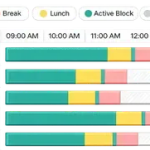
- Idle Time Detection: See when employees are away from their employee computers.
- Software Usage Visibility: Understand which applications are being used during work hours.
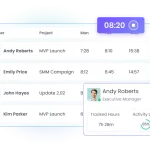
- Real Time Headcount: See exactly who is active on their desktop app at any moment.
How to simplify attendance tracking and workforce management
To simplify attendance tracking, you must automate the process. Your attendance tracking software should be part of the computer’s startup routine. This ensures that employee attendance is captured without the user needing to remember a time clock.
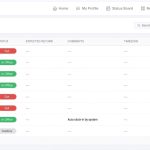
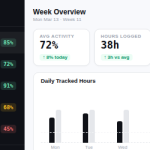
Managers can use a web dashboard to remotely access all attendance reports. This provides real time reporting on employee hours and shift scheduling. Even for project based teams, the focus remains on attendance and activity rather than task-specific tracking.
- Automate Clock Ins: Set the desktop app to trigger on system startup.
- Use Geo-Boundary Restrictions: Limit employee clock ins to specific locations.
- Review Attendance Trends: Use custom reports to identify patterns in sick days or time off.

Why Choose Office Punch?
Office Punch is the best attendance tracking software for businesses that value security and automation. We focus on attendance software that is secure and easy to use. Our web app dashboard provides admins with real time reporting without the need for complex shift scheduling tools.
We understand that businesses need to simplify attendance tracking without high costs. While we offer a free plan for basic access, our advanced features provide the activity monitoring your business requires. Our system does not rely on a mobile app or mobile devices. We focus on secure, desktop-based tracking for remote teams.
Our automated time tracking triggers on system startup, ensuring no employee hours are missed. We provide custom reports and attendance reports that give you the data needed for accurate payroll. With responsive customer support, Office Punch is the partner you need to ensure compliance and secure your employee attendance tracking.
FAQ: Common Questions About Attendance Tracking
Does Office Punch support mobile app tracking?
No. Office Punch is a desktop-based attendance software. It records work on the professional PC or laptop. Admins can access data via a secure web dashboard. We do not use mobile devices for tracking to ensure work stays on work-related hardware.
How does the software prevent buddy punching?
We prevent buddy punching through IP-based restrictions and geo-boundary enforcement. This ensures that employee clock ins only happen from authorized networks and locations.
When does the automated time tracking trigger?
The attendance tracking triggers as soon as the employee starts their PC or laptop. It does not require the employee to manually “start work” in the app. This reduces missed clock ins.
Can I manage time off requests in the software?
Yes. You can manage time off requests, track sick days, and monitor paid time through the web dashboard. This helps avoid scheduling conflicts.
What is included in the free plan?
The free plan is a limited-access version for basic attendance. Advanced features, such as activity monitoring, random screenshots, and real time reporting, are available only on our paid plans.
Conclusion
Choosing the right time and attendance software is a strategic move for any business. It provides the accurate tracking needed to improve productivity and secure employee attendance data. By choosing a professional attendance tracking software like Office Punch, you protect your organization. You replace guesswork with real time visibility. You eliminate the payroll errors associated with manual logs. Focus on the long-term benefits of visibility, security, and fairness. Your team will be more engaged, and your business will be more resilient. Start your journey toward better workforce management today.
Ready to gain better visibility into your team’s attendance? Discover how automated clock-ins and activity visibility can transform your business. Visit Office Punch today to explore the best attendance tracking software for your workforce. You can track time and employee attendance tracking efficiently.