Managing a modern workforce requires a clear understanding of daily activity. Business owners today face new challenges in maintaining visibility. It is no longer about watching a desk. It is about understanding how employee computers are used during work hours. Time tracking software provides the data needed to lead effectively. This practice is not about employee surveillance. It is about creating a transparent system for remote and hybrid teams. When you track time, you gain a clear view of your organization’s workflow. OFFICE PUNCH offers a professional way to secure this data. We help you build a culture of accountability and trust through reliable automated time tracking.
Best software for tracking time
The best time tracking software does more than just record hours. It provides a complete picture of workforce utilization. For most businesses, the goal is to move away from manual logs. You need a time tracker that integrates seamlessly with the daily routine of your team members.
A primary step is using automated time triggers. Your time tracking tools should start when an employee turns on their PC or laptop. This ensures you capture the full workday without human error. It also removes the burden from employees. They can focus on their work immediately upon system startup. This type of automatic time tracking is the foundation of modern attendance management.
- Activity Monitoring: Use tracking software that captures screenshots at random intervals. No one can predict when the capture happens. This provides an honest view of work hours.
- Idle Time Detection: High-quality time tracking apps identify when a user is away from the computer. This ensures the time logs reflect actual activity.
- Desktop Focus: Reliable desktop apps ensure that tracking remains tied to the professional workstation. This prevents the confusion often caused by a mobile app in a non-field environment.
- Secure Punches: Use tracking tools that enforce IP and geo-location restrictions. This ensures employees log in from authorized locations.
How do I choose the right time tracking app?
Choosing the right time tracking app depends on your specific needs. Small teams often prioritize ease of use and a low learning curve. Large teams might require more robust reporting tools and attendance reports.
When evaluating time tracking tools, consider the following:
- Automation Level: Does it require manual start/stop, or is it an auto tracker? Systems that trigger on system startup provide better time tracking data.
- Reporting Capabilities: Can you generate customized reports? You need valuable insights into how time spent aligns with company goals.
- Security Features: Does the software support IP approval and geo-boundary enforcement? This is vital for team management and attendance security.
- User Interface: A user friendly interface ensures that team members adopt the tool quickly without resistance.
- Data Export: Ensure you can export data for payroll processing to maintain payroll accuracy.
Many providers offer a free plan. However, it is important to note that a free plan is often a limited-access version. For advanced features like random screenshots and time tracking capabilities, premium features are usually necessary.
How does time tracking software improve productivity?
Implementing employee time tracking software is a proven way to improve productivity. It replaces guesswork with real time data. When employees know that their time entries are visible, they tend to remain more focused.
- Identify Inefficiencies: Use detailed reports to see where time spent does not match expected output. This helps you optimize productivity.
- Improve Personal Productivity: When individuals see their own time tracking data, they can better manage their own schedule.
- Workforce Analytics: Use tracked data to understand team capacity. This allows for better resource allocation across the organization.
- Reduce Administrative Overhead: Automated time tracking eliminates the need for manual timesheet collection.
By using data driven insights, you can track progress toward company goals. You can see if employee performance is consistent. This leads to a more stable and successful company.
Understanding time tracking data and team management
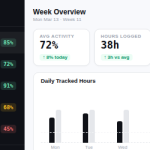
Effective team management relies on accurate information. Time tracking software provides clear insights into the daily operations of your workforce. Managers can use custom reports to analyze attendance patterns and activity levels.
For remote teams, this visibility is crucial. It replaces the physical office environment. It allows team members to prove their dedication. When you measure productivity with activity tracking, you remove bias. Performance reviews become based on real time data rather than opinions.
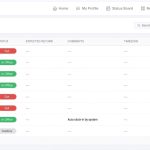
- Attendance Reports: Verify that everyone is logged in at the right time from the right place.
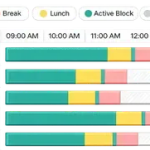
- Activity Logs: Review time logs to ensure work remains within professional boundaries.
- Utilization Tracking: See which departments have team capacity and which are overworked.
Personal productivity and small teams
Even in small teams, the benefits of a time tracker tool are significant. It helps maintain a better work life balance by clearly defining the workday. When manual entry is replaced by an auto tracker, employees feel less stressed about their administrative duties.
For a project manager or business owner, the time tracking features provide peace of mind. You no longer have to wonder if a remote employee is active. The time tracking data provides the proof you need. This transparency builds a stronger, more engaged team.
Scalability for large teams and project profitability
As an organization grows, the complexity of managing large teams increases. You need time management apps that can handle unlimited users without performance lag. Project profitability (in terms of overall workforce cost vs. output) depends on this efficiency.
High-level reporting features allow you to see the big picture. You can compare time spent across different months to identify productivity trends. This information is essential for long-term planning and team management.
Why Choose Office Punch?
Office Punch is the best time tracking software for businesses that value security and automation. We focus on employee time tracking software that is secure and easy to use. Our web app dashboard provides admins with valuable insights without the need for complex task management.
We understand that small teams need to boost productivity without high costs. While we offer a basic plan, our premium features provide the deep monitoring capabilities your business requires. Our system does not rely on a mobile app. We focus on secure, desktop-based tracking for remote teams.
Our automatic time tracking triggers on system startup, ensuring no work hours are missed. We provide detailed reports and customized reports that give you actionable insights. With responsive customer support, Office Punch is the partner you need to optimize productivity and secure your time tracking data.
FAQ: Common Questions About Time Tracking
Does Office Punch require manual start and stop?
No. Our automated time tracking starts as soon as the employee turns on their PC or laptop. This ensures that time logs are always accurate without needing manual entry.
Is there a mobile app available for tracking?
No. Office Punch is a desktop-based employee time tracking app. It records work on the professional workstation. Admins can access real time data via a secure web app dashboard.
How does the geo-boundary restriction work?
Office Punch allows you to set specific geographic and IP-based restrictions. This ensures that time tracking only occurs when the employee is at an approved location, such as their home or office.
Can I see what my employees are doing during work hours?
Yes. Our tracking software takes random screenshots at unpredictable intervals. This provides an honest view of team performance and work hours.
What is included in the free features versus premium features?
Our basic version offers limited attendance access. Premium features, such as automatic time tracking, random screenshots, and detailed reports, are available on our paid plans.
Conclusion
Choosing the right time tracking software is a strategic move for any business. It provides the accurate tracking needed to improve productivity and secure employee data. By choosing a professional time tracking app like Office Punch, you protect your organization. You replace guesswork with data driven insights. You eliminate the administrative overhead of manual tracking. Focus on the long-term benefits of visibility, security, and fairness. Your team will be more engaged, and your business will be more resilient. Start your journey toward better team management today.
Ready to gain better visibility into your team’s workday? Discover how automated attendance and activity visibility can transform your business. Visit Office Punch today to explore the best time tracking software for your workforce. Office Punch has a dedicated free time tracking software plan with generous features that will cover all your basic features. For additional features you can choose the paid plane. Visit our website for complete details.
Tags