Features
Complete Workforce Visibility. Zero Guesswork.
Track when employees start work, take breaks, stop working, and how their full workday is spent — all from one secure dashboard.
Built with Auto Clock-In, Idle Detection & Smart Reports.
- Track smarter
- Manage better
- Grow faster
Automation & Alerts
One Platform. Total Workforce Visibility.
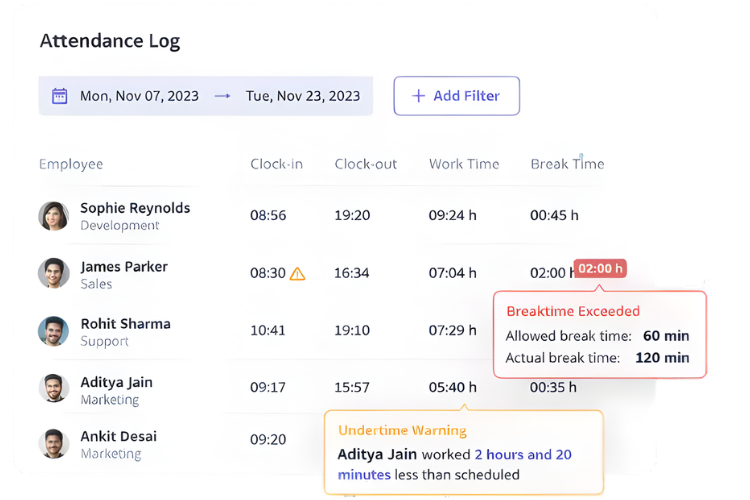
Automated Attendance
OfficePunch automates attendance tracking to eliminate manual errors and ensure accurate work-hour records for every employee.
Unlike traditional punch systems, OfficePunch:
- Automatically clocks in when work begins
- Detects idle time and adjusts attendance
- Supports manual status updates (Break, Meeting, Training)
- Automatically clocks out when work activity stops
Attendance becomes effortless, accurate, and fully transparent.
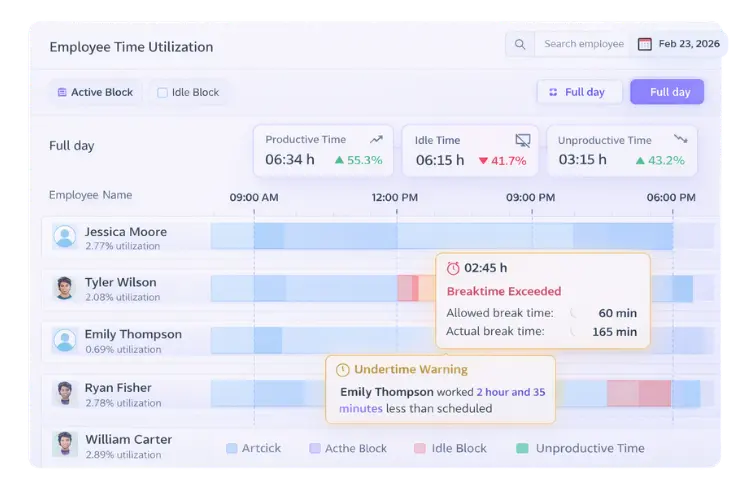
Productivity Insights
Understand not just when employees work — but how they work throughout the day.
OfficePunch helps you:
- Classify apps and websites as productive, unproductive, or neutral
- Track active vs idle time automatically
- Measure real productive hours
- Identify work patterns with clear visibility
Get actionable insights instead of just time logs.
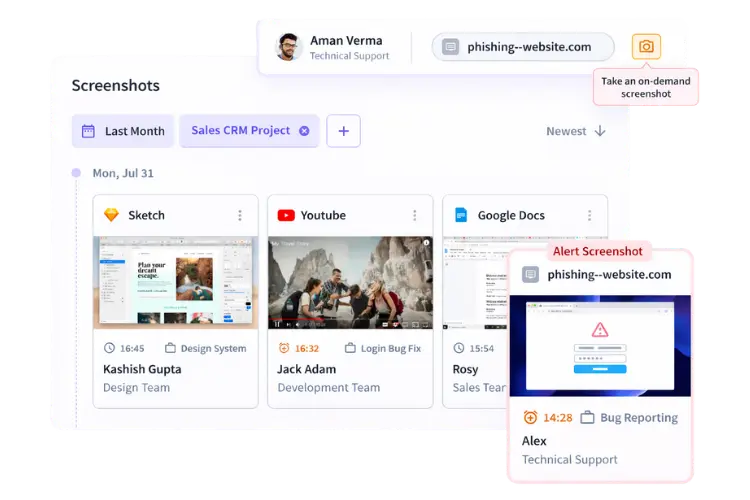
Smart Monitoring
Monitor work activity without micromanaging your team.
OfficePunch provides
- Periodic screenshot capture
- Optional screenshot blurring for privacy
- App and website usage tracking
- Complete daily activity timeline view
Everything is structured, secure, and easy to review.
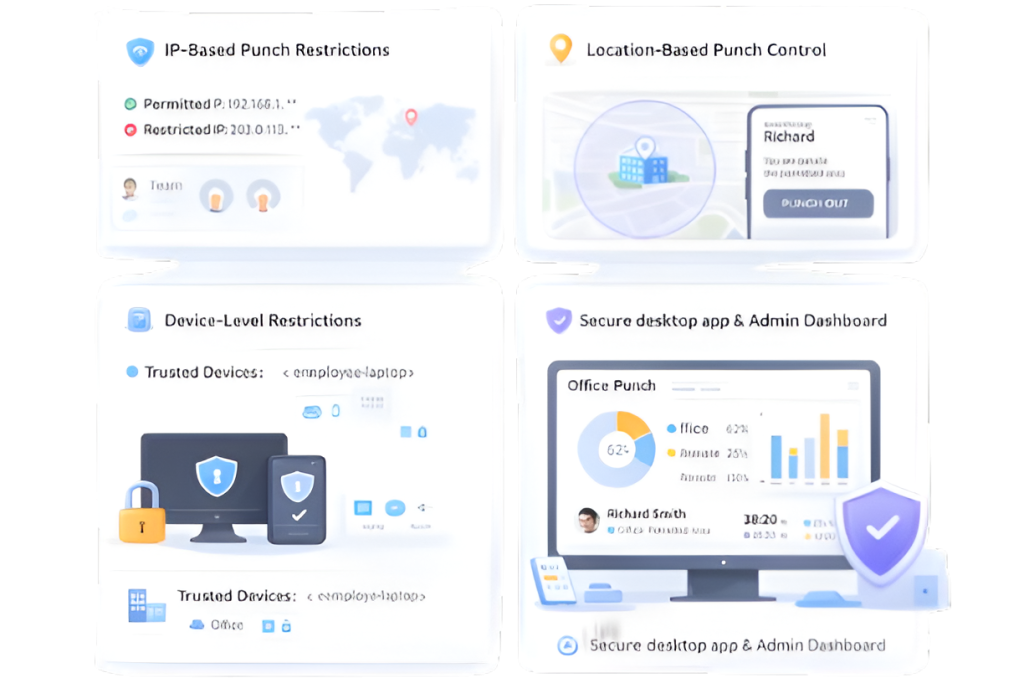
Secure & Controlled Access
OfficePunch ensures attendance data cannot be misused.
The system includes:
- IP-based punch restrictions
- Location-based punch control
- Device-level restrictions (if required)
- Secure desktop app for employees and admin dashboard
Built with accountability and control in mind.
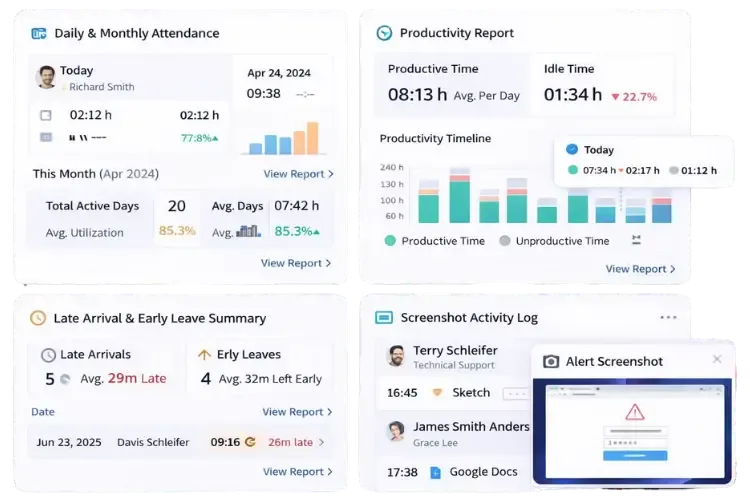
Detailed Reporting
All attendance and activity data is transformed into simple, clear reports.
Generate:
- Daily & monthly attendance reports
- Time history reports
- Late arrival & early leave summaries
- Productivity reports
- Screenshot activity logs
Reports are accurate, consistent, and easy to understand.
Attendance Automation
📊 Monitoring & Productivity Insights
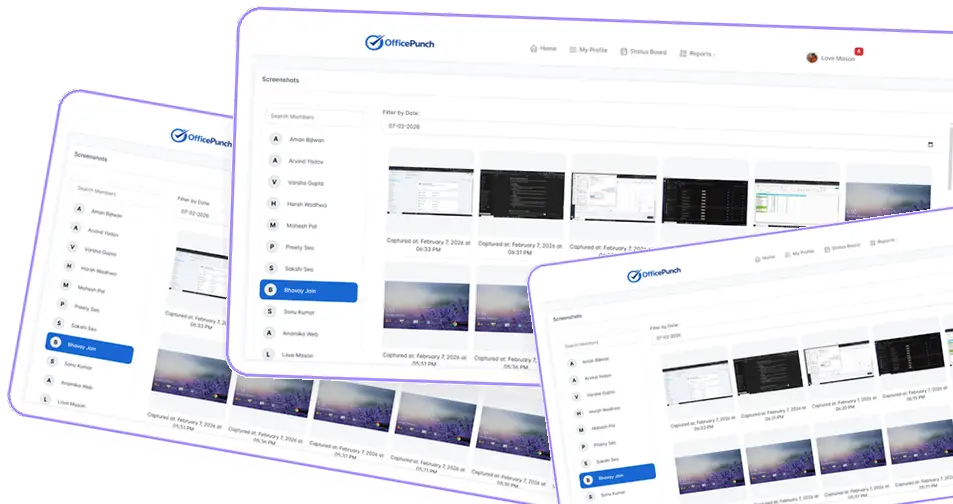
Periodic Screenshots
Screenshots are captured automatically at configurable intervals to provide visibility into work activity.
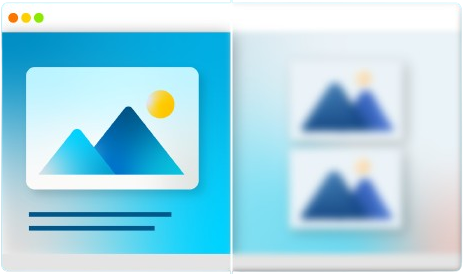
Screenshot Blur / Unblur Control
Admins can enforce screenshot blurring for privacy or allow clear screenshots based on organizational policy.
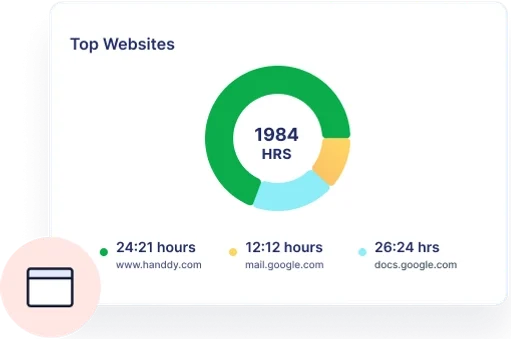
App Usage Tracking
Tracks which applications are used during work hours and the total time spent on each app.
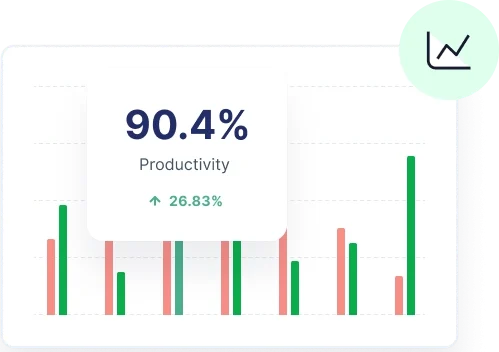
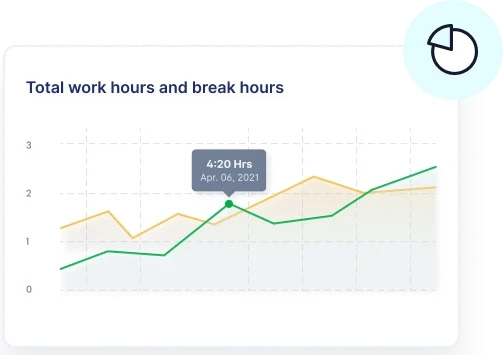
Active vs Idle Time Analysis
Work hours are categorized into Active and Idle segments to deliver accurate productivity insights.
Daily Activity Timeline
A detailed, minute-by-minute timeline showing punches, idle periods, app usage, and screenshots in one unified view.
Security & Compliance
🌐 IP-Based Punch Restriction
Restricts attendance punches to approved IP addresses such as office networks or VPNs.
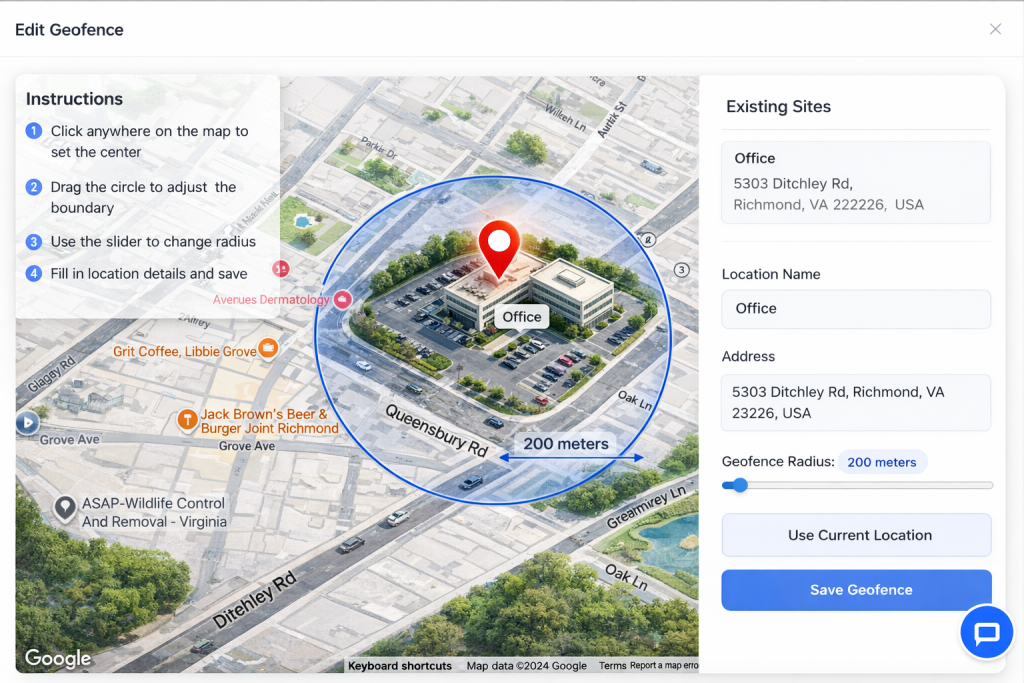
📍 Geo-Location Enforcement
Ensures attendance actions are performed only from authorized geographic locations.
📱 Mobile Device Restriction
Blocks attendance punches from unauthorized or unapproved mobile devices.
Experience Complete Workforce Visibility
See how OfficePunch simplifies attendance, activity tracking, and reporting — all in one secure platform.
FAQ
Frequently Asked Questions
Everything you need to know about how OfficePunch works.
Does OfficePunch automatically track attendance?
Yes. OfficePunch supports auto clock-in, auto clock-out, and idle detection to ensure accurate attendance tracking without manual errors.
Can I monitor employee activity?
Yes. You can track app usage, website activity, screenshots (optional blur), and view full daily activity timelines.
Is employee privacy protected?
Absolutely. Screenshot blurring options, role-based access, and controlled monitoring ensure responsible usage.
Does OfficePunch support remote teams?
Yes. It works for remote, hybrid, and in-office teams with timezone support and automatic time conversion.
Can I restrict where employees punch in from?
Yes. You can enable IP-based restrictions, location-based punch control, and device-level limitations.
Is this a project management tool?
No. OfficePunch focuses strictly on attendance, time tracking, and activity visibility — not task or project management.