Time Tracking Software Comparison: Office Punch vs Hubstaff
Which Is the Best Employee Monitoring Software for Your Business?
5 - Average Rating

Introduction
This page compares Office Punch and Hubstaff — two employee monitoring software platforms that companies across industries use to track time, monitor employee activity, and gain better visibility into workforce productivity — helping business owners, HR managers, and operations teams choose the right time tracking software for their specific needs. Whether you manage a small in-office team or a large distributed workforce of remote employees, the differences between these two platforms directly affect how accurately you can measure productivity, enforce attendance, and manage working hours.
Office Punch is a secure, desktop-based employee monitoring system built for attendance tracking, activity monitoring, and proof of work — with automated time tracking triggered at system startup and both IP-based and geo-location-based punch restrictions that make attendance policy enforcement non-negotiable. Hubstaff is a cloud-based time tracker designed for remote workers and distributed teams, offering GPS tracking, shift scheduling, task management, and project management integrations across desktop, web, and mobile. Both qualify as capable employee monitoring solutions, but they are engineered for very different operational realities.
Employee Monitoring Tools: Side-by-Side Feature Comparison
| Feature | Office Punch | Hubstaff |
|---|---|---|
| Platform Type | Desktop-based (Windows) | SaaS — Win, Mac, Linux, iOS, Android |
| Primary Focus | Attendance & activity monitoring | Time tracking, workforce & payroll mgmt |
| Attendance Tracking | ✅ Yes | ✅ Yes |
| Automated Time Tracking | ✅ Yes (clock-in at system startup) | ✅ Yes (manual or auto on app open) |
| Active vs Idle Time Monitoring | ✅ Yes | ✅ Yes (activity level scoring) |
| Random Screenshot Capture | ✅ Yes (random, unpredictable) | ✅ Yes (scheduled, up to 3 per 10 min) |
| Keystroke Logging | ✅ Yes | ⚠️ Partial (keyboard activity % only) |
| App & Web Apps Tracking | ✅ Yes | ✅ Yes |
| IP-Based Punch Restriction | ✅ Yes | ❌ No |
| Geo-Location Punch Restriction | ✅ Yes | ❌ No |
| Audit Log / Audit Trails | ✅ Yes | ✅ Yes |
| Powerful Reporting | ✅ Yes | ✅ Yes |
| GPS Tracking | ❌ No | ✅ Yes (mobile app) |
| Shift Scheduling | ❌ No | ✅ Yes |
| Task Management | ❌ No | ✅ Yes |
| Project Management Integrations | ❌ No | ✅ Yes (Asana, Jira, ClickUp, 30+) |
| Microsoft Teams Integration | ❌ No | ✅ Yes |
| Native Integrations | ⚠️ Partial | ✅ Yes (30+ tools) |
| Add-On Modules | ❌ No | ✅ Yes (Insights, Payroll etc.) |
| Mobile App | ❌ No (desktop only) | ✅ Yes (iOS & Android) |
| Admin Web Dashboard | ✅ Yes | ✅ Yes |
| Unlimited Users (flat pricing) | ✅ Yes | ❌ No (per-user, 2-user minimum) |
| Free Plan | ✅ Yes (basic, limited access) | ❌ No (14-day trial only) |
| Credit Card Required to Start | ❌ No | ❌ No (14-day trial) |
| Phone Support | ✅ Yes | ❌ No (chat and email only) |
Note: Based on publicly available information from official product websites as of June 2026. Verify current features and pricing directly with each vendor before purchasing.
Attendance Tracking & Automated Time Monitoring
Office Punch: Policy-Enforced Attendance with Zero Manual Time Entries
For most organizations, capturing employee time accurately without depending on employees to manually track it is non-negotiable. Office Punch solves this at the root — automated time tracking fires when the employee’s PC or laptop starts up, recording employee time from the first moment of the workday. There are no manual time entries to forget, no timers to start, and no opportunity to inflate hours before clocking in. Every working hour is logged automatically, giving management an accurate picture of attendance without any administrative overhead.
Beyond automation, Office Punch enforces attendance at the access level. Both IP-based restrictions and geo-location boundary controls ensure punches are only recorded from approved networks and locations — making it impossible for employees to log time from unauthorized environments. New hires come under the same policy from day one, and all attendance data is backed by full audit trails.
Hubstaff: Flexible Time Tracking Built for Remote Workers
Hubstaff’s time tracking is designed around flexibility for remote employees and distributed teams. Employees start a timer via the desktop app, mobile app, or web browser — with optional auto-start when the application opens. Time spent on apps and websites is captured automatically in the background, and activity data is generated throughout each tracked session. For remote workers juggling multiple clients, projects, or locations, this flexibility is a core advantage.
Hubstaff does not offer IP-based or geo-location punch restrictions — time data is accepted from any device or location. For in-office and hybrid teams where attendance security and policy enforcement are the priority, this gap matters. For remote employees where location-verified attendance is less critical than project-level time allocation, it is less of a concern.
Employee Activity Monitoring & Productivity Visibility
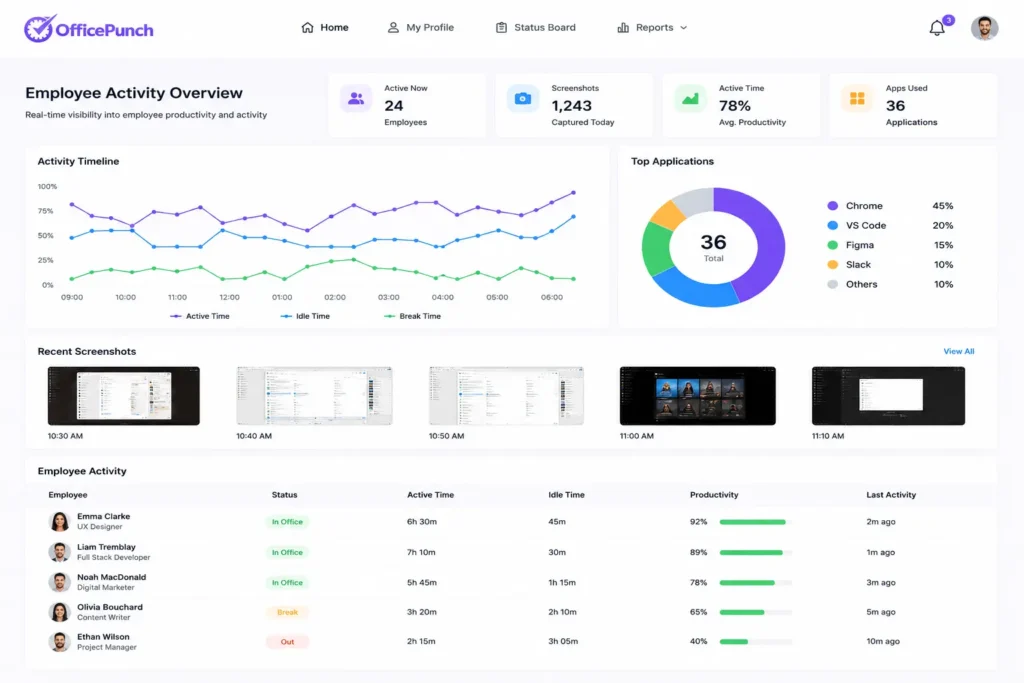
Office Punch: Deep Activity Data Across Every Job Function
Office Punch delivers comprehensive activity monitoring that gives management a genuinely accurate picture of how employees spend their time on company computers. The system tracks active versus idle time, monitors software use and web apps across every job function, logs keystrokes, and captures screenshots at random, unpredictable intervals. Because no one can anticipate when a screenshot will be taken, the activity data reflects real behaviour rather than curated snapshots. All activity data is stored with complete audit trails — providing the documentation companies need for compliance, HR reviews, and dispute resolution.
Employee privacy is respected by scoping monitoring to working hours on company-owned devices — easy to communicate to employees without raising big brother concerns. Sensitive data including screenshots and keystroke logs stays within the organization’s own infrastructure, not on cloud servers, giving businesses direct control over their security posture.
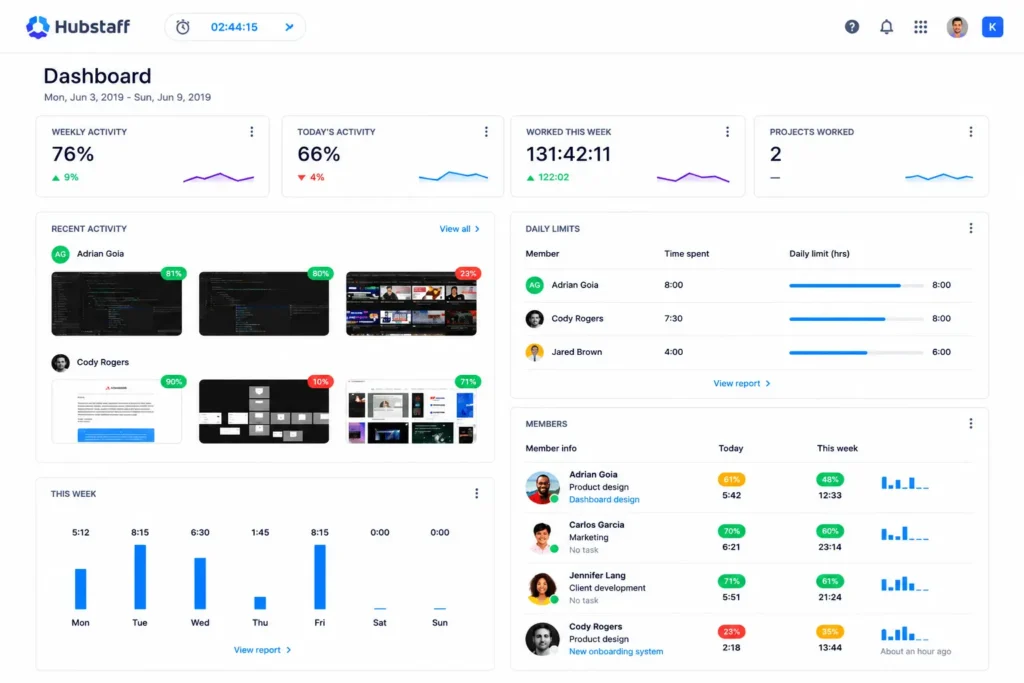
Hubstaff: Activity Scoring and Workforce Analytics for Remote Teams
Hubstaff measures employee activity through an activity level score — a percentage derived from keyboard and mouse input during tracked time. This gives managers a high-level view of engagement across remote teams and distributed teams without reviewing individual screenshots. App and website usage is tracked and categorized, and powerful reporting covers time spent by project, team productivity trends, and individual performance over time. For businesses managing remote employees who need aggregate visibility into how time is distributed across tasks and tools, Hubstaff’s reporting depth is a genuine strength.
Screenshot capture in Hubstaff is scheduled, not random — the capture pattern is predictable over time. Individual keystrokes are not logged; only an aggregate keyboard activity score is generated. For businesses that need granular user activity data and unpredictable screenshots to accurately measure productivity, Office Punch delivers significantly better visibility.
Remote Work, Task Management & Native Integrations
Office Punch: Desktop Monitoring for In-Office and Hybrid Teams
Office Punch is a desktop-based employee monitoring system for employees working on company-managed PCs or laptops. It does not include a mobile app, GPS tracking, or tools for managing remote employees working from personal devices. For remote employees on company-issued desktops or laptops, Office Punch captures attendance and activity data fully within the IP or geo-location boundaries the administrator configures — making remote work on company hardware subject to the same monitoring controls as in-office work.
Hubstaff: Built for Distributed Teams with Full Integration Ecosystem
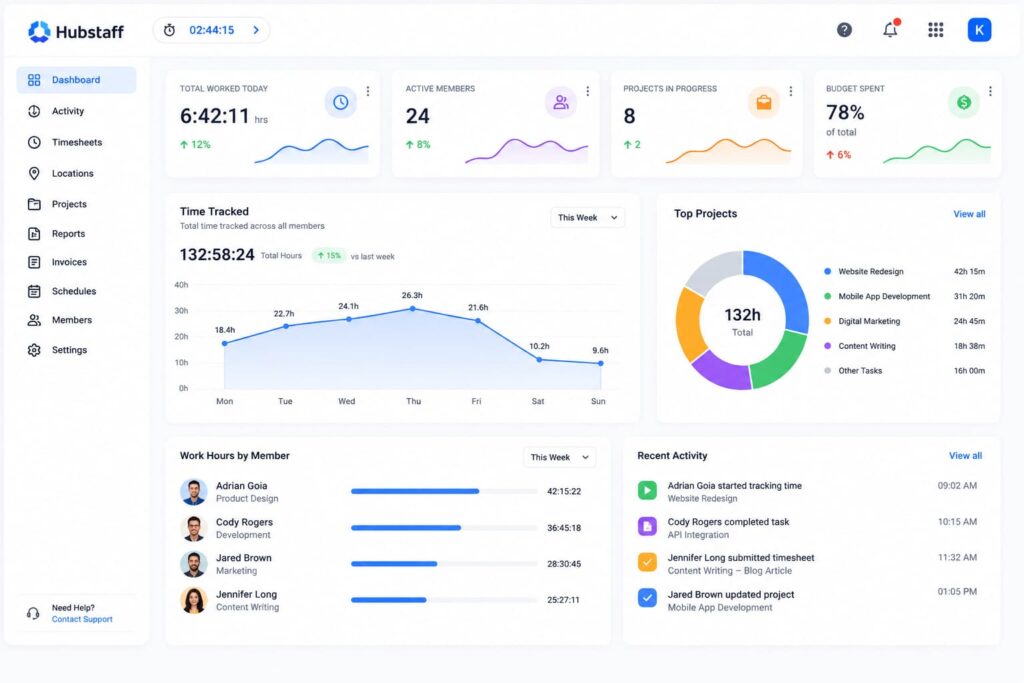
Remote team management is Hubstaff’s primary design strength. It covers Windows, Mac, Linux, iOS, and Android — every surface where remote workers and distributed teams operate. GPS tracking through the mobile app serves field-based employees. Shift scheduling allows managers to assign and track coverage. Task management and project management integrations with Asana, Jira, ClickUp, GitHub, QuickBooks, and Microsoft Teams — among 30+ native integrations — embed Hubstaff into virtually any existing tech stack without add-on modules for core workflows. For larger businesses managing remote employees across multiple locations and tools, this ecosystem is a genuine competitive advantage.
Office Punch: Unlimited Users, Flat Pricing, No Per-Seat Cost
Office Punch offers a free basic plan with limited access — no credit card required to start monitoring. Core employee monitoring features including attendance tracking, activity monitoring, and screenshot capture are available on the premium plan at flat pricing with unlimited users. Team size does not affect cost — the same rate applies whether a business is monitoring 5 employees or 500. This makes Office Punch one of the most cost-effective monitoring software solutions for larger businesses and growing teams that cannot absorb per-seat cost escalation as they add new hires.
No minimum user requirement, no credit card required for the basic plan, and phone support available — a meaningful differentiator for businesses deploying monitoring software for the first time.
Hubstaff: Per-User Pricing from $7/User/Month with 2-User Minimum
Hubstaff charges per user across all paid tiers — Starter at $7/user/month, Grow at $9, Team at $12, and Enterprise at $25 (all billed annually). A 2-user minimum applies to Starter, Grow, and Team plans. No permanent free plan exists — only a 14-day trial with no credit card required. Optional add-on modules for advanced analytics and payroll carry additional per-seat charges. Phone support is not included on any standard plan; all support runs through chat and email. For a 20-person team on the Team plan, monthly costs reach $240 — or $2,880 annually — before add-on modules. For larger businesses tracking employee time and activity across a growing workforce, per-user pricing compounds rapidly against the total cost of the solution.
Which Solution Is Right for Your Business?
Choose Office Punch If You Need:
- Need verified, policy-enforced attendance with IP and geo-location restrictions — non-negotiable
- Want automated time tracking at system startup with zero manual time entries from employees
- Manage in-office or hybrid teams where desktop activity is the primary monitoring surface
- Need to monitor unlimited users at flat pricing — especially as team size grows
- Handle sensitive data and prefer desktop-controlled data security over cloud-stored activity data
- Want phone support and a free basic plan with no credit card required to start
Choose Hubstaff If You Need:
- Manage remote workers, remote employees, or distributed teams across multiple devices
- Need GPS tracking, shift scheduling, and task management in one platform
- Require native integrations with Microsoft Teams, Jira, Asana, and 30+ other tools
- Run project management workflows where time needs to be tracked against specific tasks
- Have remote teams where activity level scoring and project time reports are sufficient
- Can absorb per-user pricing that scales with team size and add-on modules
Employee Monitoring Software: Pros & Cons
Before committing to any employee monitoring software — whether for a remote workforce of distributed staff members or an in-office team — it is worth understanding the genuine advantages and the real considerations companies face when they effectively monitor their workforce. The decision affects worker productivity, company culture, and data security in equal measure.
| ✅ Pros of Employee Monitoring | ⚠️ Cons & Considerations |
|---|---|
|
|
| ✅ Pros of Employee Monitoring |
|---|
|
| ⚠️ Cons & Considerations |
|
How to Get the Pros Without the Cons
When monitoring is framed as a tool to help staff members work more effectively and achieve company goals — not as a disciplinary mechanism for flagging low active time — worker productivity and employee performance both improve, and the big brother concern largely disappears.
Office Punch is designed with this balance in mind. Active time tracking, application usage reports, and attendance data give managers the accurate picture they need to effectively monitor team performance and track productivity across many employees. Its desktop-only scope and policy-enforced attendance boundaries make it straightforward to communicate to staff members — reducing the trust cost that poorly scoped monitoring almost always creates.
Best practice: Before you start monitoring, document what will be tracked, communicate it clearly to all staff members, and tie the data directly to improving work processes and achieving company goals — not to penalising individual employees for low active time on any given day.
Final Verdict: Office Punch vs Hubstaff
For businesses where attendance policy enforcement, desktop activity monitoring, data security, and predictable pricing matter most — Office Punch is the stronger, more practical solution. Its automated time tracking at system startup, IP and geo-location punch restrictions, keystroke logging, random unpredictable screenshots, and unlimited users at flat pricing give most organizations everything they need to track time accurately, monitor employee activity, and improve productivity without per-user cost escalation or reliance on cloud-stored sensitive data.
Hubstaff is a powerful platform for remote workers, distributed teams, and field employees — GPS tracking, shift scheduling, task management, Microsoft Teams, and 30+ integrations make it a strong choice where remote work and project-level time tracking are the primary requirements. But for the majority of businesses managing in-office or hybrid teams where attendance enforcement and desktop activity monitoring are the core need, Office Punch delivers better visibility into how employees spend their time at a cost that scales in their favour.
Ready to start monitoring with confidence? Try Office Punch today — no credit card required for the basic plan, unlimited users on premium, no per-seat surprises.
What is the best employee monitoring software for in-office teams?
For in-office and hybrid teams, Office Punch is the best employee monitoring software for businesses that need verified attendance, desktop activity monitoring, and data security. Its automated time tracking at system startup, IP and geo-location punch restrictions, keystroke logging, and random screenshot capture give management an accurate picture of how employees spend their working hours — at flat pricing with unlimited users. Hubstaff is better suited to remote workers and distributed teams where GPS tracking and project management integrations are the priority.
What employee monitoring features matter most for productivity monitoring?
The employee monitoring features most organizations need to effectively measure productivity are: automated time tracking that eliminates manual time entries; active versus idle time monitoring; app and web apps activity tracking; keystroke logging; screenshot capture; and audit trails for compliance. Office Punch delivers all of these natively for desktop monitoring. Hubstaff covers most for remote teams but replaces keystroke logging with an aggregate activity score, and adds shift scheduling and task management features relevant to distributed teams.
How does automated time tracking improve employee productivity?
When time tracking is automated at system startup — as it is in Office Punch — management gets an accurate picture of actual working hours without relying on employees to track time themselves. There are no forgotten time entries, no inflated hours, and no administrative chasing of timesheets. Combined with activity data, active versus idle monitoring, and unpredictable screenshot capture, automated time gives businesses the evidence they need to improve productivity through informed, factual performance conversations rather than assumptions.
Does Hubstaff offer task management and project management tools?
Yes. Hubstaff includes built-in task management and native integrations with project management tools including Asana, Jira, ClickUp, Trello, and GitHub. Time can be tracked against specific tasks and projects, giving managers visibility into how employee time is distributed across work. Office Punch does not offer task management or project management features — it focuses on attendance tracking and desktop activity monitoring. For teams that need time allocated to specific tasks or projects, Hubstaff’s project-level tracking is a meaningful differentiator.
How do the platforms handle data security and employee privacy?
Office Punch processes activity data — screenshots, keystroke logs, and attendance records — within the organization’s own desktop infrastructure, not on third-party servers. This gives businesses direct control over sensitive data. The big brother concern is addressed by limiting monitoring to working hours on company devices. Hubstaff stores activity data and GPS location data on its cloud servers — businesses should review Hubstaff’s data processing agreements carefully before deployment, particularly where sensitive data or compliance obligations apply.
What is the difference between keystroke logging and an activity score?
Keystroke logging, as offered by Office Punch, records individual key inputs during working hours — giving management granular user activity data at the desktop level. An activity score, as used by Hubstaff, is a percentage calculated from combined keyboard and mouse movement during tracked time. Activity scoring gives a quick engagement indicator but does not reveal specific software use, content accessed, or individual typing activity. For businesses that need detailed activity data to accurately measure productivity and verify proof of work, keystroke logging provides significantly better visibility than an aggregate score.
Which platform is better for managing remote employees?
Hubstaff is purpose-built for remote employees — covering desktop, web, iOS, and Android, with GPS tracking, shift scheduling, and native integrations with Microsoft Teams and 30+ tools. Office Punch is desktop-based with no mobile app or GPS tracking. For remote employees on company-issued hardware, Office Punch works fully within configured access boundaries. For remote workers on personal devices or field employees, Hubstaff is the stronger solution.
Is there a free plan for employee monitoring software?
Office Punch offers a free basic plan with limited access — no credit card required. Core employee monitoring features including attendance tracking, activity monitoring, and screenshots require the premium plan, which supports unlimited users at flat pricing. Hubstaff does not have a permanent free plan — a 14-day free trial is available across all paid tiers, which require a minimum of 2 users. For businesses that want to start monitoring immediately without a financial commitment, Office Punch’s free basic plan provides a genuine entry point.
Legal Disclaimer
This comparison is based on publicly available information from the official websites of Office Punch and Hubstaff as of June 2026. All trademarks and product names remain the property of their respective owners. This content is for informational purposes only and does not constitute purchasing, legal, or compliance advice. Features and pricing may change; verify current details directly with each vendor before making a decision. Office Punch is the publisher of this content and has a commercial interest in presenting its platform favorably.