Time Tracking With Screenshots
Accurate work hours. Visual proof. Full control.
Office Punch focuses strictly on attendance-based time tracking and screenshot monitoring through a screen capture monitoring software and secure desktop systems.
5 - Average Rating
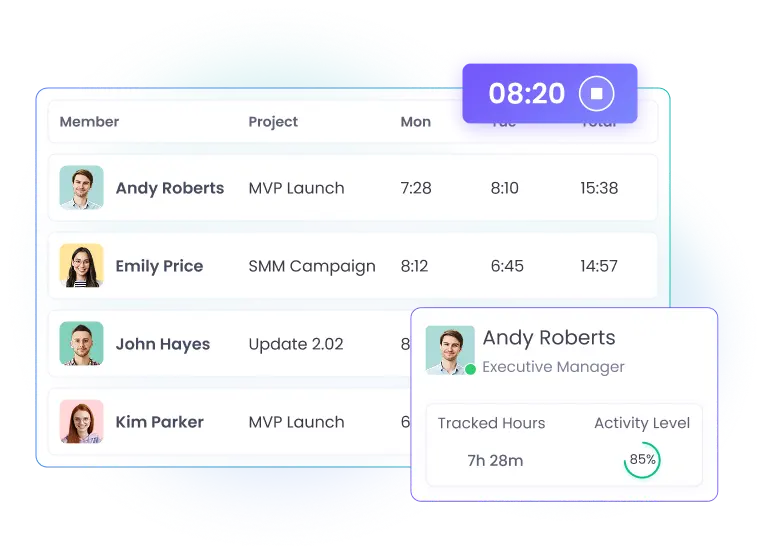

Reliable Time Tracking Software for Modern Teams
Remote work has changed how organizations operate. Managing remote teams requires trust and visibility. When you track time manually it creates gaps. Managers struggle to track productivity and verify logged hours.Office Punch delivers secure, cloud-based time tracking with screenshots designed for HR teams, operations managers, staffing agencies, and business owners who need accurate time tracking and activity visibility.

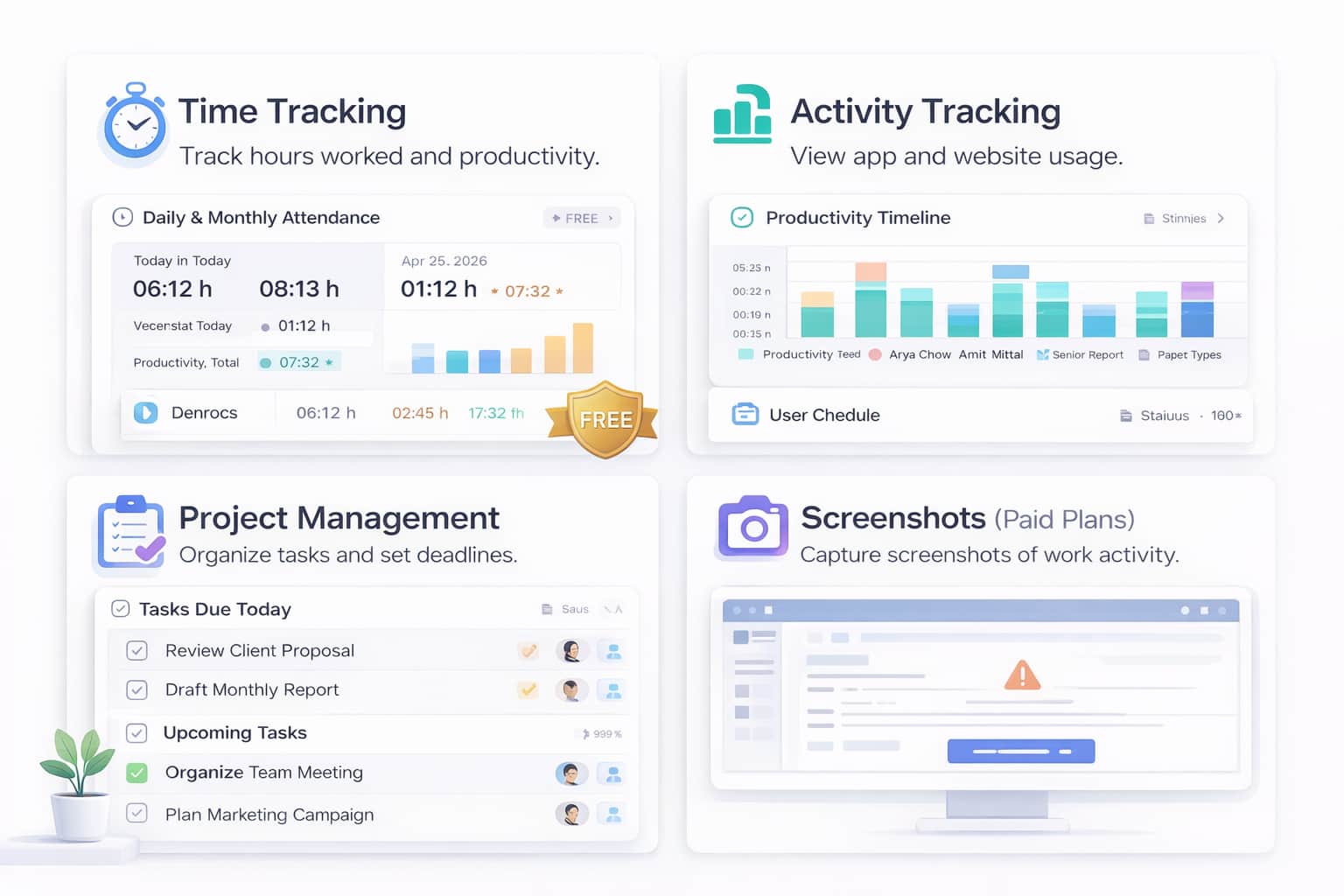
Time Tracking

Screenshot Monitoring

Productivity Reports

Secure Monitoring
Track Work Hours Clearly
This prevents manual tracking errors and improves compliance.
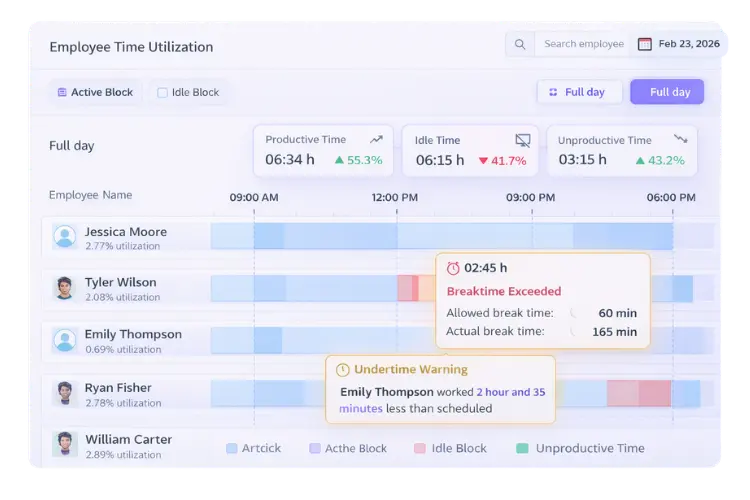
Time Tracking Software
Office Punch is reliable employee monitoring software built for structured attendance and productivity monitoring.
It provides:
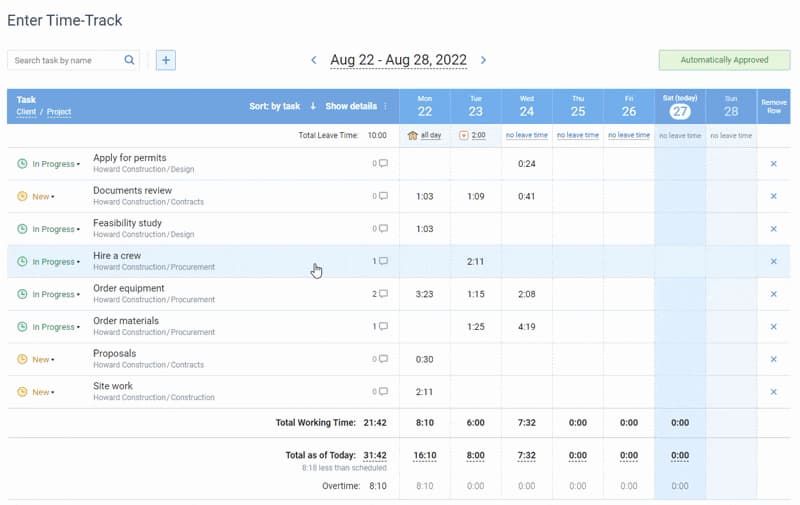
- Automated time tracking
- Screenshot monitoring
- Detailed reporting
- Secure desktop app for employees
- Cloud-based web app dashboard
Tracking occurs only on secure desktop systems connected to the internet.
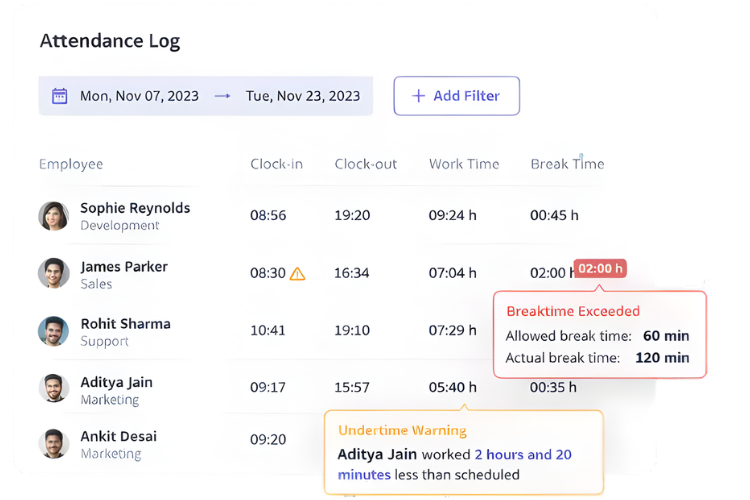
Time Tracker With Screenshots
Office Punch includes a powerful time tracker with screenshots that captures visual records of activity.
Key capabilities:
- Random screenshots taken at regular intervals
- Capturing periodic screenshots without warning
- Screenshot capture across multiple monitors
- Screenshot time tracking linked to logged hours
Screenshots are taken at random intervals. No one can predict when a screen capture occurs. This improves accountability without constant surveillance.
The free plan does not include:
Office Punch offers a free plan with limited access.
The free plan does not include:
- Time tracking
- Screenshot tracking
- Activity monitoring
Time tracking with screenshots and advanced features are available only on paid plans.
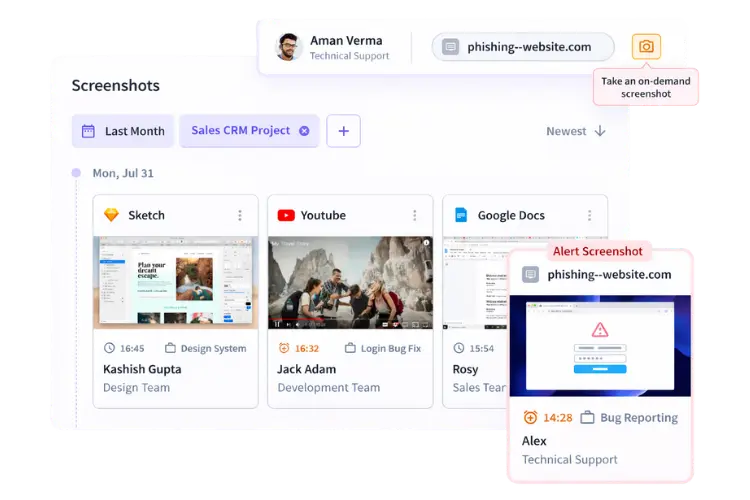
Screenshot Tracking
Structured screenshot tracking gives managers visual confirmation of time spent.
The screenshot feature:
- Captures screenshots of the user’s computer screen
- Links screenshots to time entries
- Helps track progress and productivity
- Supports detailed insights into employee hours
Admins can configure screenshot settings based on organizational needs.
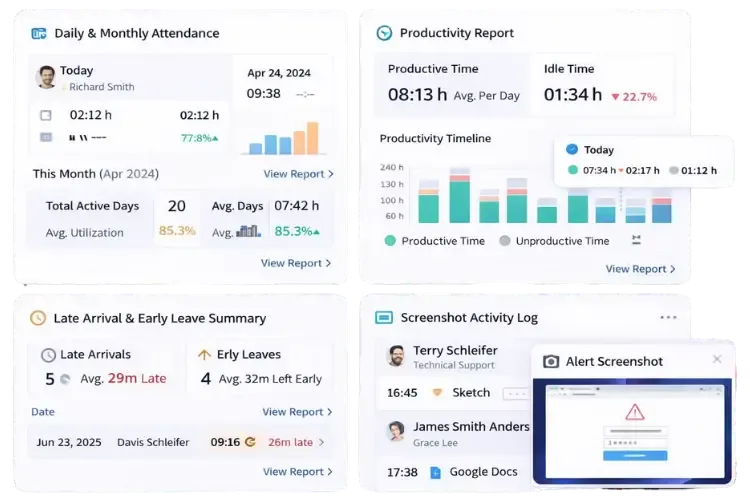
Screenshot Feature Control
The built-in screenshot feature supports flexibility and employee privacy.
Office Punch allows:
- Optional screenshots if required
- Disable screenshots when necessary
- Delete screenshots
- Delete sensitive screenshots
- Remove sensitive screenshots when needed
This ensures balance between accountability and employee privacy.
Powerful Screenshot Time Tracking
Track work hours, monitor productivity, and manage remote teams with secure screenshot-based time tracking.
Screenshot Time Tracker
The integrated screenshot time tracker combines attendance and visual proof.
It helps:
- Monitor employees
- Track productivity
- Measure time spent
- Identify bottlenecks
- Gain productivity insights
This enhances team management and team productivity without tracking billable hours.
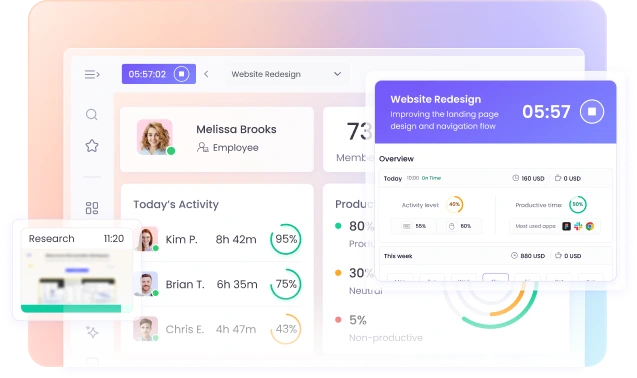
Remote Employees
Managing remote employees requires visibility and fairness.
Office Punch supports:
- Managing remote teams
- Tracking with screenshots for remote work
- Monitoring remote employees on company devices
- Supporting working remotely environments
Location enforcement applies only to desktop-based punch restrictions:
Data Security
Protecting sensitive data is critical.
Office Punch supports:
- Data security controls
- Secure storage of screenshot tracking data
- Access controls for managers
- Delete sensitive screenshots when required
- Remove visual records that contain sensitive information
The platform does not use continuous video recording. Screenshots occur at random intervals only.
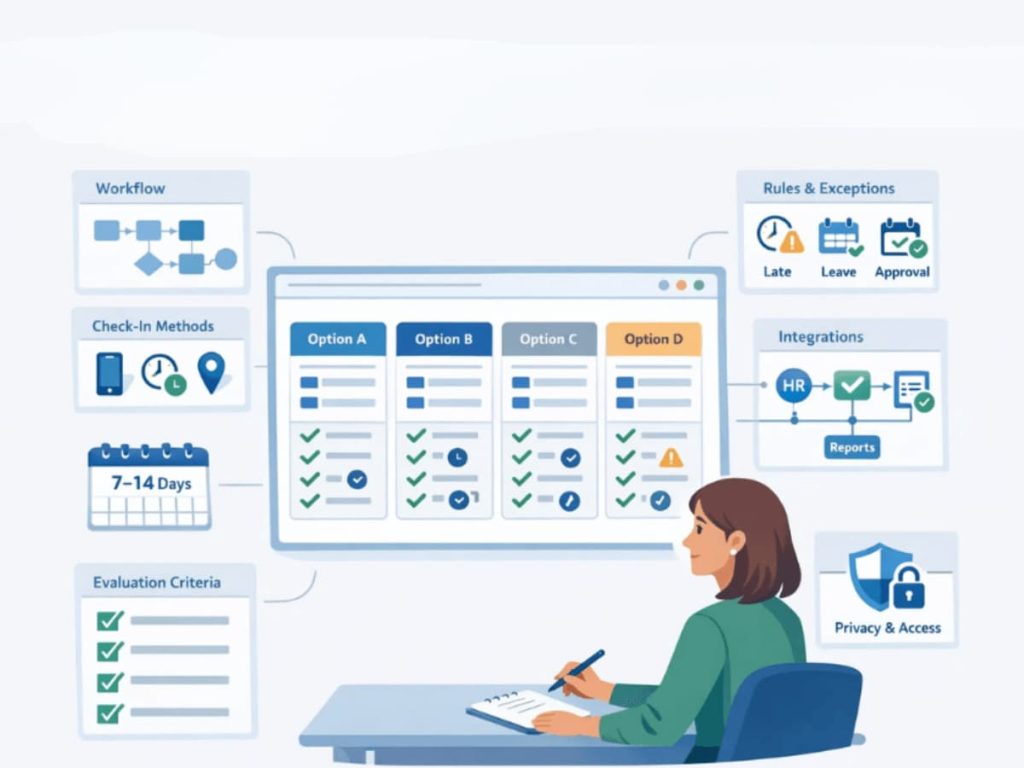
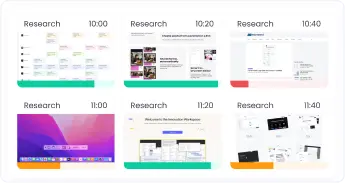
Screenshot Tracker for Teams
The Office Punch screenshot tracker helps entire organization leaders maintain oversight.
It provides:
- Visual records linked to time entries
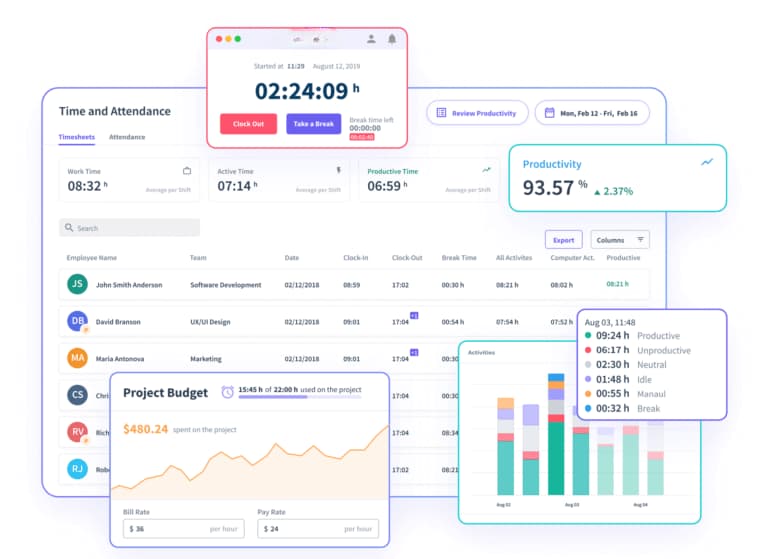
- Detailed reporting dashboards
- Team performance tracking
- Clear insights into employee productivity
Tracking with screenshots helps organizations ensure accurate logged hours.
Detailed Service Features
Time Tracking
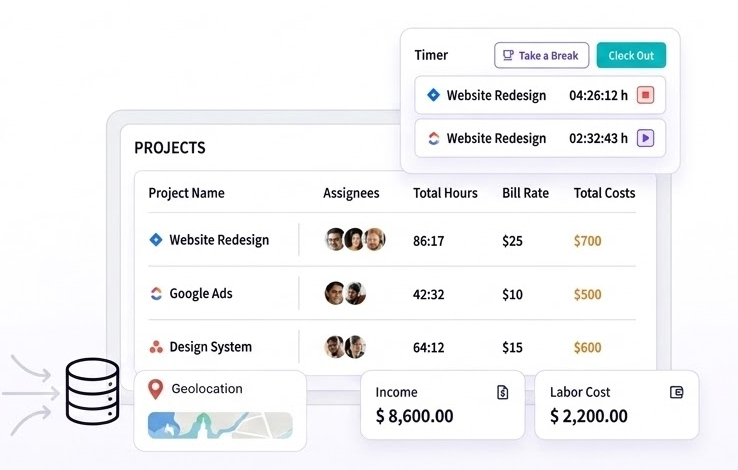
Automated time tracking captures work hours from system startup.
How It Works
All tracking requires internet connection and secure login.
Employee logs into desktop app
Automatic time tracking begins
Screenshot capture occurs at random intervals
Time entries are stored securely
Managers review detailed reports
Industries Served
HR teams
Staffing agencies
Consulting firms
Remote teams
Technology companies
Small businesses
Large enterprises
Any organization managing remote work can benefit from screenshot time tracking.
Security and Integrations
- Payroll integration via export data
Secure web app access
IP-based attendance restrictions
Geo-boundary enforcement (desktop only)
Ongoing support
It does not integrate mobile apps or browser extensions.

Why Choose Office Punch
Track work hours accurately
Enhance productivity
Boost productivity across remote teams
Improve team performance
Strengthen data security
Ensure compliance
Time tracking here means recording employee hours and activity on company devices. It does not track project progress or manage tasks.
Take Control of Productivity
Remote work requires accountability. Manual tracking creates risk.
Office Punch delivers reliable time tracking with screenshots designed to improve accuracy, compliance, and employee productivity.
Visual proof. Accurate tracking. Stronger teams.
Testimonials
HR Director
“Screenshot tracking helped us improve team productivity.”
Operations Manager
“Random screenshots gave us clear visual proof of work.”
Staffing Agency Owner
“We reduced manual tracking and improved compliance.”
Business Owner
“The screenshot feature gave us detailed insights.”
IT Manager
“Top-class customer service made setup simple.”
FAQ
Frequently Asked Questions
Everything you need to know about how OfficePunch works.
1. Does Office Punch track billable hours?
No. It tracks work hours only, not billing.
2. Are screenshots taken continuously?
No. Screenshots are captured at random intervals.
3. Can screenshots be deleted?
Screenshots cannot be deleted directly by employees or admins. If there is a valid privacy or compliance concern, users can request screenshot removal through support. Admins can disable screenshots or apply blur/unblur settings to protect sensitive data.
4. Is there a mobile app?
No. Tracking works through secure desktop app and web dashboard only.
5. Does the free plan include screenshot monitoring?
No. Screenshot tracking is available only in paid plans.