Key Takeaways
- Free time tracking software covers the basics — clock-in, clock-out, and basic logs.
- Most free plans limit users, reporting depth, data retention, and advanced features.
- When compliance, advanced reporting, or team size grow, free plans run out of room.
- A paid plan is not just more features — it is the difference between basic logging and actionable workforce data. For teams tracking billable hours or needing project management features, free plans consistently fall short.
- Canadian employers must retain time tracking records for three to six years, depending on province and whether CRA rules apply.
- The right question is not “free vs paid?” It is “what does my business actually need?”
Free time tracking software is a legitimate starting point. For freelancers, micro-teams, and employers who need basic attendance records, a free plan often covers the core requirement. But free plans are built to convert users — not to serve them indefinitely. Every free tier has a ceiling. This guide breaks down the trade-offs so you can choose the right plan for your actual needs.
What Free Time Tracking Software Usually Includes
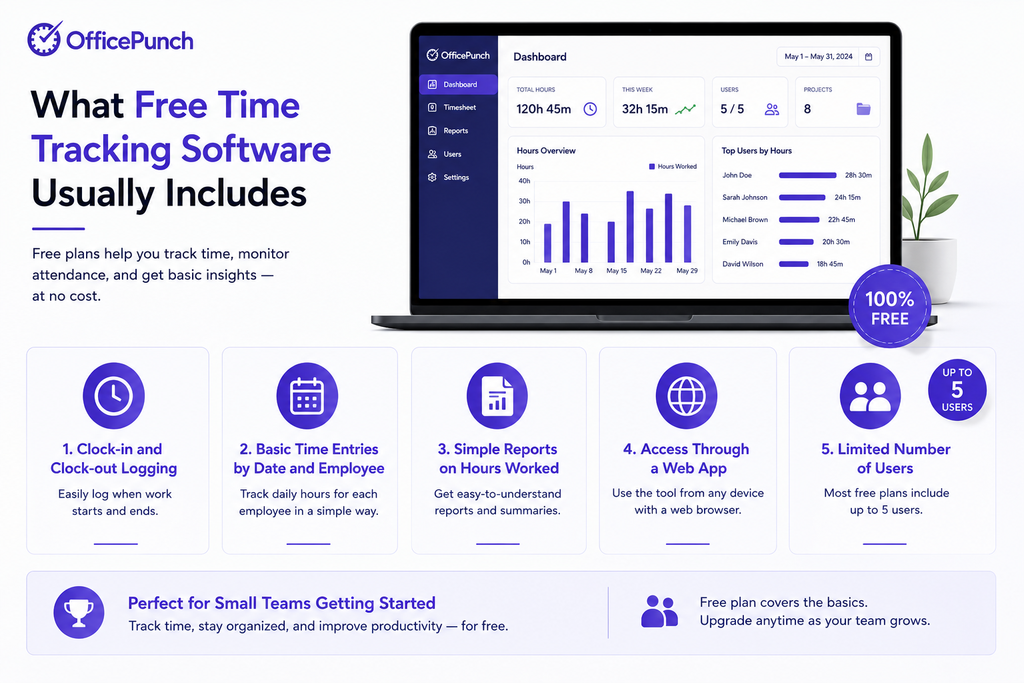
Time tracking software is a digital tool used to record work hours. A free plan typically covers:
- Clock-in and clock-out logging
- Basic time entries by date and employee
- Simple reports on hours worked
- Access through a web app
- A limited number of users — commonly up to five
This is basic logging. It replaces paper timesheets. Teams can track time at the employee level for simple attendance needs. For many sole traders and micro-businesses, this is entirely sufficient.
What You Give Up on a Free Plan
The limitations on most free plans cluster in four areas.
1. User Limits
Most free time tracking apps cap users. Up to five people is a common limit. Some platforms offer unlimited users on the free tier — but restrict features so heavily that the user count is irrelevant.
When your team exceeds the user limit, you upgrade or migrate to a new system. Neither is free.
2. Reporting Tools and Data Retention
Free time tracking software rarely includes robust reporting tools. Basic plans typically show:
- Total hours per employee per day
- Simple week-to-date or month-to-date summaries
What they typically exclude:
- Custom reports filtered by employee, task, or date range
- Saved reports for recurring review
- Data retention beyond 30 to 90 days
This is where Canadian employers face a real problem. Provincial employment standards require time records retained for two to five years. The Ontario Employment Standards Act requires three years. British Columbia requires four years. Quebec requires three years under the Act Respecting Labour Standards, and six years for CRA payroll records. A free plan that deletes data after 30 days does not support compliance.
3. Advanced Features
Advanced features on paid plans typically include:
- Activity tracking (app and website usage monitoring)
- Automated screenshots for proof of work
- Idle time detection and idle time auto clock-out
- Shift scheduling and shift management
- Geo-location and IP-based access restrictions
- Attendance anomaly alerts
These are not premium extras for large enterprises. For Canadian employers managing remote teams, they are operational necessities.
4. Integration and Export Limits
Free plans often restrict export data options. They may limit integrations to one or two tools. Advanced integrations — connecting time data to HR systems, attendance records, or reporting workflows — typically require a paid plan.
When a Free Plan Is Enough
A free version is genuinely sufficient when:
- You have a small team — up to five people.
- Your primary need is basic attendance logging.
- You do not need data retention beyond 30 days.
- You are testing a platform before committing.
- Personal productivity tracking is your main goal.
For freelancers using an online time tracker for personal awareness, a free time tracker works well. For very small Canadian businesses with simple attendance needs, the free tier may serve indefinitely.
When You Need a Paid Plan
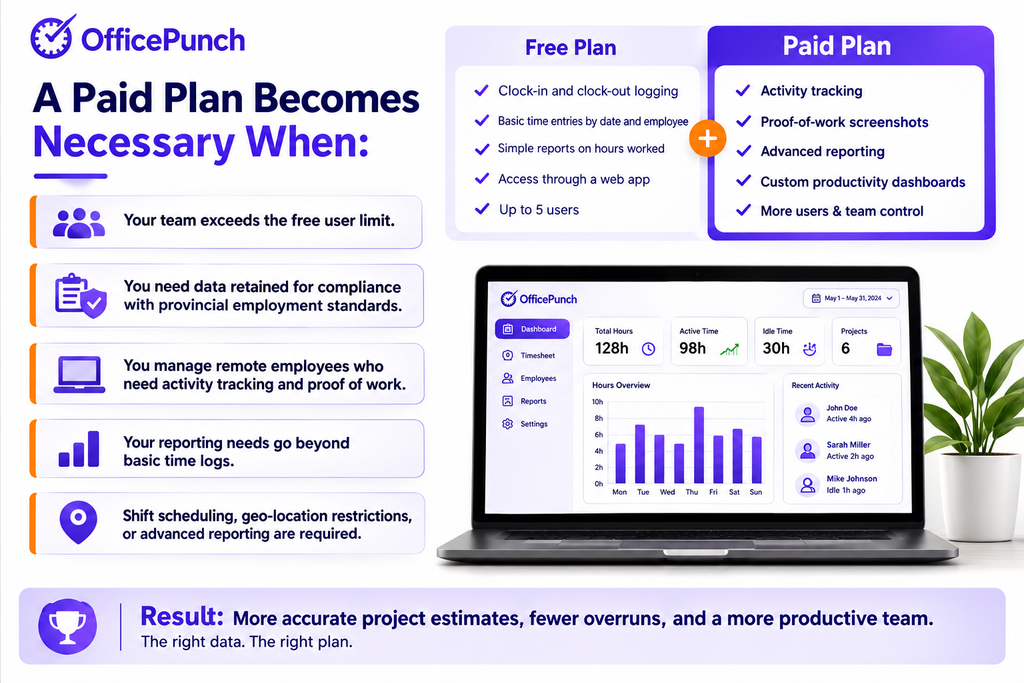
A paid plan becomes necessary when:
- Your team exceeds the free user limit.
- You need data retained for compliance with provincial employment standards.
- You manage remote employees who need activity tracking and proof of work.
- Your reporting needs go beyond basic time logs.
- Shift scheduling, geo-location restrictions, or advanced reporting are required.
Time tracking software helps maintain compliance with labour law requirements. It automates payroll calculations to reduce errors. These outcomes require more than a free tier can deliver.
What to Look for When Upgrading
When evaluating a move to a paid plan, focus on these factors.
Reporting Depth
Custom reports, saved reports, and time data filtering by employee, date range, and team. Reporting tools should surface patterns — not just totals.
Data Retention
Confirm the retention period. Canadian employers need at minimum three years of time records. Not all paid tiers offer extended retention — check before committing.
Activity Tracking and Monitoring Tools
For remote teams, monitoring tools that capture active versus idle time — and app usage and screenshots — provide the visibility that basic logging cannot. This is a paid feature on most platforms.
User-Friendly Interface and Learning Curve
A user-friendly interface with minimal learning curve is as important as the feature list. Tracking tools that employees resist undermine the data quality they were supposed to improve.
Office Punch: Free vs Premium
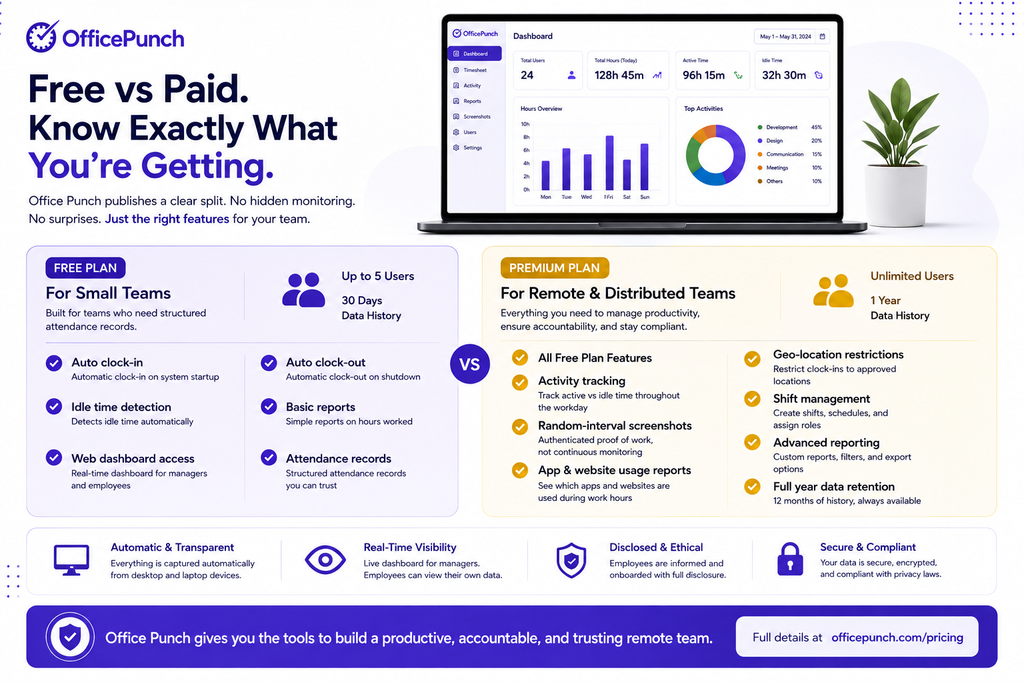
Office Punch offers both a free plan and a premium plan — with a clear, honest split between them. Full plan details are available at officepunch.com/pricing.
| Feature | Free Plan | Premium Plan |
|---|---|---|
| Users | Up to 5 | Unlimited users |
| Auto clock-in / clock-out | ✅ | ✅ |
| Idle time auto clock-out | ✅ | ✅ |
| Basic time & attendance | ✅ | ✅ |
| Time history | 30 days | 1 year |
| Screenshot monitoring | ❌ | ✅ |
| App & website tracking | ❌ | ✅ |
| Advanced productivity reports | ❌ | ✅ |
| Geo-fencing restriction | ❌ | ✅ |
| Shift management | ❌ | ✅ |
The free plan is the right starting point for small teams. The premium plan is the right plan for compliance, remote team management, and workforce productivity visibility.
Why Office Punch Is Honest About What Each Plan Includes
The free versus paid decision only makes sense if you know exactly what you are getting. Office Punch publishes a clear split. The free plan is built for small teams who need structured attendance records — not a stripped-down trial designed to frustrate. It covers auto clock-in, auto clock-out, idle time detection, and 30 days of time history for up to five users.
The premium plan adds the features that remote and distributed teams require: activity tracking, random-interval screenshots, app and website usage reports, geo-location restrictions, shift management, advanced reporting, and a full year of data retention. Unlimited users are included. Everything is captured automatically from desktop and laptop devices, visible through a real-time web dashboard, and disclosed to employees as part of onboarding. No hidden monitoring. No surprises. Full details at officepunch.com/pricing.
Not sure which plan is right for your team? Book a demo with Office Punch. See exactly what the free plan covers and what the premium plan adds — then decide based on your real requirements.
Frequently Asked Questions
What does a free plan in time tracking software include, and can you track time effectively with it?
A free plan in most time tracking software includes basic clock-in and clock-out logging, simple time entries, and basic hour summaries. Most free plans cap users at five and restrict data retention to 30 to 90 days. Activity tracking, custom reports, and geo-location restrictions are almost always paid plan exclusives.
When should a small team upgrade from a free time tracking app or online time tracker to a paid plan?
Small teams should upgrade when they exceed the free user limit, need data retained beyond 30 days for compliance, require advanced reporting, or manage remote employees who need activity monitoring. Canadian provincial employment standards require time records kept for three to four years, with CRA extending that to six years for payroll remittance records. A free version that deletes data after 30 days cannot support that obligation.
What do you give up — including project management features — with a free version of a time tracking app?
On a free version, you typically give up custom reports, saved reports, extended data retention, activity tracking, screenshot monitoring, idle time analytics, shift scheduling, and geo-location restrictions. You also face user limits that prevent the plan from scaling with your team. For personal productivity tracking or micro-teams with basic needs, these gaps may not matter. For Canadian employers managing compliance and remote teams, they almost always do.
How does project tracking differ between free and paid plans?
Free plans typically support basic project tracking — logging hours against a project name without detailed breakdown. Paid plans add task-level tracking, project budget management, reporting tools that show time spent by task type, and the ability to create custom reports by project and team member. For organisations using time data to improve estimates and resource scheduling, project tracking depth matters significantly.
What should I look for in a free time tracker before committing to a paid plan?
Before committing to any paid plan, test the free time tracker against your actual workflow. Check whether the user limit fits your team. Verify that basic features cover your immediate needs. Confirm that data exports work and that upgrading does not require migrating to a new system. The best free tier is one that lets you learn the tool properly — so when you upgrade, you already know it works for your team.