Improving attendance compliance starts with understanding why it breaks down — and then putting systems in place that make accurate, consistent attendance tracking the path of least resistance for every employee and every manager. For Canadian employers, this means combining clear policy, the right attendance software, and the integrations that connect time data to payroll, scheduling, and reporting without manual gaps.
Why Attendance Compliance Fails in Workplaces
Poor employee attendance compliance most often stems not from unwillingness to follow rules, but from systems that create friction at every step. When clocking in requires separate hardware, when attendance records live in a spreadsheet disconnected from payroll, or when managers have no real-time visibility into who is present, the gap between policy and practice widens every pay period.
Lack of a Clear Attendance Policy
Employees cannot comply with rules they do not fully understand. A vague policy — one that does not specify when to clock in, how absences are reported, what counts as a late arrival, or what applies at a different location — leaves too much open to interpretation. Inconsistency follows, and inconsistency makes compliance tracking meaningless.
No Real-Time Reporting
When managers only see attendance data at the end of a pay period, they are managing the past. Absences go unaddressed. Overtime accumulates unnoticed. Patterns that indicate a deeper problem are invisible until they are already significant. Real time reporting changes this dynamic entirely.
Manual Processes That Create Data Gaps
Manual timesheet management and paper-based clock-in systems create data gaps that attendance tracking cannot close retroactively. When an employee estimates their start time or submits a timesheet three days late, the attendance record for that period is unreliable. Payroll software working from inaccurate attendance data produces inaccurate pay — and inaccurate pay creates disputes.
Disconnected Systems
When attendance software, payroll software, and scheduling tools are disconnected, data must be transferred manually between them. Every manual transfer is an opportunity for error. Every error compounds the inaccuracy of the records that employment standards legislation requires employers to maintain.
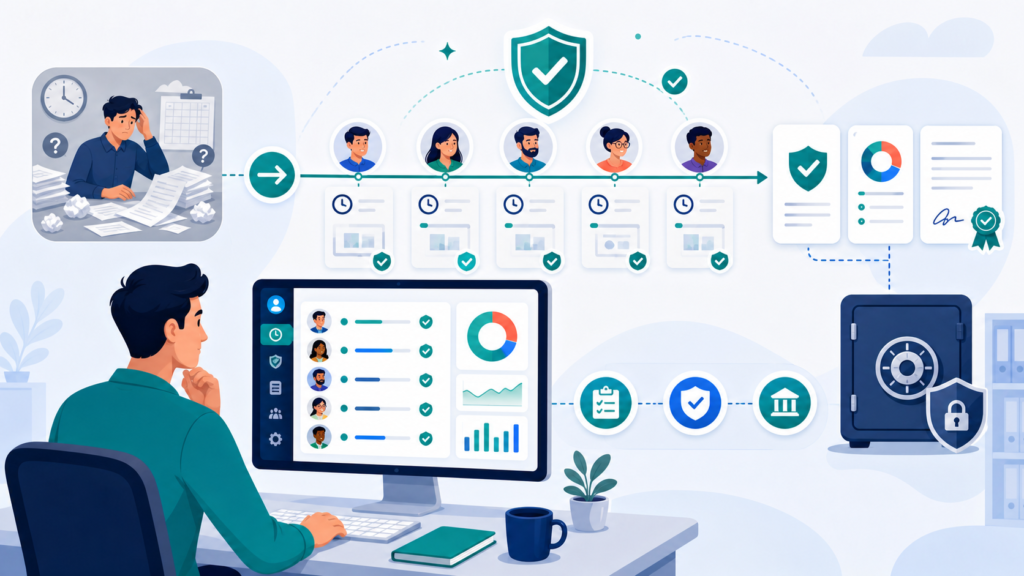
Building the Foundation: Attendance Policy and Employee Communication
Before any software can improve attendance compliance, the policy it enforces must be clear, written, and communicated to every employee.
What a Strong Attendance Policy Covers
A strong attendance policy specifies the clock-in method employees are expected to use, the process for reporting unplanned absences, how time off is requested and approved, overtime rules applicable to each role and province, and the consequences of repeated non-compliance. The policy should reference the specific attendance software or attendance tracker the organisation uses, so employees understand that employee attendance is recorded automatically and reviewed by management.
Communicating the Policy Across Distributed Teams
For distributed teams working across different locations, remote offices, or job sites, policy communication requires more than a single email. A written policy shared through multiple channels — employee handbook, onboarding walkthrough, and a pinned reference in the team communication platform — creates the shared understanding that compliance depends on.
Connecting Policy to Employment Standards
A written attendance policy should be grounded in the employment standards applicable to the province where each employee works. Overtime rules, rest period requirements, and record-keeping obligations differ between Ontario, British Columbia, Alberta, and Quebec. An attendance policy that references these obligations — rather than applying a single generic rule across a diverse workforce — gives employees and managers a clear and legally accurate framework.
Choosing the Right Attendance Tracking Software
The right attendance tracking software does more than record clock-in and clock-out times. It provides accurate attendance data in real time, connects to payroll and scheduling systems, supports multiple clock-in methods, and produces the detailed records that employment standards compliance requires.
What to Look for in Attendance Software
The most important characteristics of effective attendance software are ease of use, reliability across different devices and locations, real-time reporting, and seamless payroll integrations. For Canadian employers with employees at different locations, the platform must support mobile app access, GPS tracking for location verification, and ideally biometric attendance options for environments where device sharing is common.
Accurate attendance tracking also requires that the system can handle shift scheduling, overtime tracking, and time off management in one place — rather than requiring separate tools that must be manually reconciled.
Free Attendance Software and Free Plans
For small businesses and organisations evaluating their options, free attendance software with a genuinely functional free plan provides a low-risk starting point. A strong free plan covers core attendance tracking functionality — clock in and clock out, basic reporting, and payroll integration — without hidden fees or functionality limits that render the free tier impractical.
Free forever options exist across several leading platforms, though the feature depth varies significantly. Businesses that need advanced scheduling, detailed reports, or unlimited users typically find that premium plans offer better value once the team size and reporting requirements grow beyond the free tier’s scope.
Key Features That Improve Compliance
The following features have the greatest direct impact on attendance compliance in Canadian workplaces.
Real-Time Reporting and Attendance Data
Real time reporting gives managers immediate visibility into who has clocked in, who has not, and whether any employee is at risk of exceeding overtime hours before the end of a shift. When managers can see attendance data as it is created — rather than reviewing submitted timesheets at the end of the week — they can address compliance gaps in the moment rather than after the fact.
GPS Tracking for Distributed Teams
For distributed teams working across job sites, client locations, or remote offices, GPS tracking at clock-in verifies that employees are at the correct location when they record their attendance. This eliminates the possibility of off-site clock-ins for location-based roles and gives managers the location-verified attendance records that compliance and client billing require.
Biometric Attendance and Facial Recognition
Biometric attendance options — including facial recognition and fingerprint verification — eliminate buddy punching entirely. When the system verifies the physical presence of the employee at the moment of clock-in, the identity link between the person and the record is unambiguous. Biometric methods are particularly valuable in environments where shared devices or high staff turnover make PIN-based systems less reliable.
In Canada, biometric attendance systems are subject to privacy legislation — PIPEDA federally, and provincial privacy laws in British Columbia, Alberta, and Quebec. Employers must obtain informed consent before collecting biometric data and must have a documented data security policy that addresses how biometric records are stored, retained, and eventually deleted.
QR Code Attendance for Flexible Environments
QR code attendance provides a flexible and cost-effective alternative to physical time clocks for organisations that cannot or prefer not to deploy biometric hardware. Employees scan a QR code displayed at the entrance of a work location using their mobile app, and the clock-in is recorded with a timestamp and location. QR code attendance is particularly effective for after school programs, event-based work, and organisations with multiple sites where deploying dedicated hardware at every location is impractical.
Shift Scheduling Integration
Attendance tracking is most effective when integrated with shift scheduling. When the attendance software knows what shift each employee is scheduled for, it can automatically flag early departures, late arrivals, missed shifts, and overtime hours — producing the compliance alerts that managers need without requiring manual monitoring of every record. Advanced scheduling integration also enables the system to enforce work hour limits and rest period requirements automatically, reducing the risk of inadvertent employment standards violations.
Preventing Time Theft and Buddy Punching
Time theft and buddy punching are among the most common causes of inaccurate attendance records. Both are preventable with the right combination of technology and policy.
What Buddy Punching Costs Canadian Businesses
Buddy punching — where one employee clocks in on behalf of another — inflates labor costs, distorts attendance data, and creates payroll errors that compound over time. In businesses where physical presence is required for safety or client reasons, inaccurate attendance records also create liability exposure that extends beyond the payroll error itself.
Technology Controls That Prevent Buddy Punching
GPS tracking, facial recognition, photo capture at clock-in, and QR code attendance with device verification each reduce the opportunity for buddy punching by tying the clock-in record to a specific individual at a specific location. These controls do not require employees to be treated as suspects — they create a transparent, consistent record that protects honest employees as much as they deter dishonest behaviour.
Policy Controls That Support Technology
Technology controls work best when supported by a clear policy that employees understand. When the attendance policy explicitly states that clocking in for another employee constitutes a disciplinary offence, and that all clock-in records are verified through the attendance tracker, employees understand that the expectation is real and that the system is capable of detecting violations.
Advanced Scheduling and Overtime Tracking
Poor attendance compliance and overtime overruns are often symptoms of the same root problem: scheduling that does not account for actual workforce availability and work hour limits.
How Advanced Scheduling Reduces Compliance Risk
Advanced scheduling features in attendance software allow managers to build schedules that respect each employee’s contracted hours, provincial overtime rules, and required rest periods before assigning shifts. When the schedule is built in the same system that tracks attendance, the gap between planned hours and actual hours is immediately visible — and the system can alert managers when actual attendance is diverging from the schedule in ways that create overtime exposure.
Overtime Tracking and Employment Standards
Overtime hours must be tracked accurately for Canadian employers to meet their obligations under provincial employment standards. The threshold at which overtime rates apply differs between provinces — 44 hours per week in Ontario, 40 in British Columbia and Alberta for most employees, and specific rules in Quebec for different employment categories. An attendance tracking system that applies province-specific overtime rules automatically reduces the risk of underpaying overtime or miscalculating pay for employees who work across provincial lines.

Payroll Integration and Accurate Records
Attendance compliance and payroll accuracy are inseparable. Attendance data that does not flow automatically into payroll creates the manual transfer step that generates errors.
Why Payroll Integrations Matter
When attendance tracking software integrates directly with payroll software, total hours worked, overtime hours, and approved time off transfer automatically at the end of each pay period. Managers approve the verified record in the attendance system and the payroll run reflects it — without re-entry and without transcription errors.
Maintaining Accurate Attendance Records for Compliance
Canadian employment standards legislation requires employers to maintain accurate records of hours worked. Retention minimums vary — three years in Ontario, two in British Columbia and Alberta, five years in Quebec under the Act Respecting Labour Standards. An attendance tracking system storing detailed records with timestamps, device data, and location verification creates the audit trail that satisfies these obligations and supports the employer’s position in the event of a wage dispute or Ministry of Labour inquiry.
Connecting Attendance Data to Other Apps
Modern attendance software connects to other apps through native integrations and CSV file exports — including project management platforms, HR systems, and accounting software. Connecting attendance data across these tools eliminates manual reconciliation, reduces data inconsistency, and gives managers a complete picture of workforce activity without switching between systems.
Data Security and Privacy in Attendance Tracking
Any attendance tracking system that collects employee data — including location, biometric data, or device information — carries obligations under Canadian privacy law that employers must actively manage.
What Canadian Privacy Law Requires
Federally regulated employers and businesses operating in provinces without private-sector privacy legislation are subject to PIPEDA. British Columbia, Alberta, and Quebec have their own substantially similar private-sector privacy legislation. Under these frameworks, employers collecting attendance data must inform employees of what is collected, why it is collected, how long it will be retained, and who has access to it.
Data Security Best Practices for Attendance Software
Attendance software should store data in encrypted form, enforce access controls that limit who can view or modify records, maintain an audit trail of changes, and operate through a secure internet connection. For platforms that store data in the cloud, Canadian employers should confirm that data residency requirements are met — some regulated industries and provincial government employers have specific requirements about where employee data can be stored geographically.
Add-Ons That Strengthen Data Security
Many attendance tracking platforms offer add-ons that enhance data security beyond base platform capabilities — including multi-factor authentication, single sign-on integration, role-based access controls, and enhanced audit logging. For larger organizations with complex compliance requirements, these add-ons are worth evaluating alongside premium plans. Phone support availability is also a practical consideration for organisations that need rapid resolution when data access or system availability issues arise.
Why Choose Office Punch
Office Punch is built for Canadian employers who need attendance time tracking solutions that respects provincial employment standards and works reliably for desktop and laptop-based teams.
The platform supports desktop and laptop clock-in so employees record their attendance directly from the devices they work on — with no additional hardware required. Real time reporting gives managers immediate visibility into attendance data, shift coverage, and overtime hours before problems compound into payroll errors. Office Punch’s time tracking is optimized for knowledge workers and distributed teams rather than shift-based operations; it does not include shift scheduling, shift swapping or auto-scheduling tools
Detailed reports, timesheet management, and province-specific overtime tracking give Canadian HR and payroll teams the tools to maintain compliance without additional administrative overhead. For businesses evaluating options, Office Punch offers a free attendance solution plan with genuine functionality and premium plans that scale with the organisation — with no hidden fees and phone support for teams that need it.

Frequently Asked Questions
What is attendance tracking and why does it matter for compliance?
Attendance tracking records when employees clock in and clock out, including hours worked, absences, late arrivals, and overtime. For Canadian employers, accurate attendance tracking is both an operational requirement and a legal obligation — employment standards legislation across all provinces requires employers to maintain accurate records of hours worked. Without a reliable attendance tracker, compliance with overtime rules and record-keeping obligations becomes impossible to demonstrate.
What should I look for in attendance tracking software?
The most important features for Canadian employers are real-time reporting, payroll integration, support for multiple clock-in methods including mobile app and GPS tracking, accurate overtime tracking with province-specific rules, and detailed record storage with audit trails. A user-friendly interface that employees adopt without resistance is equally important — the best attendance software only improves compliance if employees use it consistently from their first day.
Is there a useful free attendance software option for small businesses?
Yes. Several platforms offer free attendance software with genuine functionality — basic clock-in and clock-out recording, attendance data reporting, and payroll integration for small teams. GPS tracking, biometric attendance, and advanced scheduling are typically available only on paid tiers. Evaluating the free plan against actual business requirements before committing to premium plans is the most effective approach and avoids surprises around hidden fees.
How does biometric attendance improve compliance?
Biometric attendance improves compliance by eliminating buddy punching and verifying the physical presence of the employee at clock-in. Facial recognition and fingerprint verification tie the attendance record to a specific individual, making it impossible for one employee to clock in on behalf of another. Canadian employers implementing biometric attendance must obtain informed employee consent and maintain a documented data security policy under PIPEDA and applicable provincial privacy legislation.
What is buddy punching and how does attendance software prevent it?
Buddy punching occurs when one employee clocks in on behalf of another who is absent or late — inflating labour costs and distorting attendance data. Attendance software prevents it through GPS tracking that confirms location at clock-in, facial recognition that verifies employee identity, photo capture, and QR code attendance tied to a specific device. Each method creates a verified individual attendance record that cannot be duplicated by a colleague.
How should attendance data be protected under Canadian privacy law?
Attendance data — particularly location data, biometric records, and device identifiers — is personal information subject to PIPEDA and applicable provincial privacy laws. Canadian employers must inform employees of what is collected, how it is used, how long it is retained, and who can access it. Attendance tracking software should encrypt stored data with role-based access controls. Employers using biometric attendance must obtain explicit consent and maintain a documented retention and deletion policy for biometric records.
What add-ons are worth considering for enterprise attendance tracking?
For larger organizations, add ons worth evaluating include multi-factor authentication, single sign-on integration, enhanced audit logging, role-based access controls, and advanced reporting by province or employment category. Payroll integrations with enterprise platforms, advanced scheduling modules, and dedicated phone support are also valuable for organisations managing large distributed teams. Assess add-ons against compliance requirements and team size before selecting premium plans.
How does attendance tracking software handle employees at different locations?
Modern attendance tracking software supports employees at different locations through GPS tracking that verifies clock-in location, QR code attendance at each site, mobile applications that work without a fixed internet connection, and centralised attendance data reviewable across all sites in one dashboard. For distributed teams, the combination of location verification at clock-in and real time reporting closes the compliance gap that manual or location-specific systems cannot bridge.
Conclusion: Make Compliance the Default, Not the Exception
Attendance compliance does not improve through enforcement alone. It improves when the systems employees and managers use every day make accurate attendance time tracking the easiest option available. The right attendance software eliminates the friction that causes missed clock-ins, automates the reporting that allows managers to act in real time, and produces the accurate records that payroll software and employment standards compliance depend on.
Disclaimer
This content provides general information about attendance compliance practices and Canadian employment standards obligations. It is not legal advice. Employment standards requirements and privacy obligations vary by province and by the specific facts of each workplace. Consult a qualified Canadian employment lawyer or HR professional for advice tailored to your organisation.
Ready to build an attendance compliance system that actually works? Book a demo with Office Punch and see how employers can track time and attendance and close the gap between attendance policy and payroll accuracy — across every team, every location, and every pay period.