Desktop time tracking software gives Canadian employers and professionals a reliable, always-on method to capture work hours directly from the devices where work actually happens. Unlike mobile-only solutions or paper-based processes, a desktop app runs continuously in the background, records time against projects in real time, and eliminates the manual entry that creates gaps in time data and errors in billing.
What Desktop Time Tracking Software Actually Does
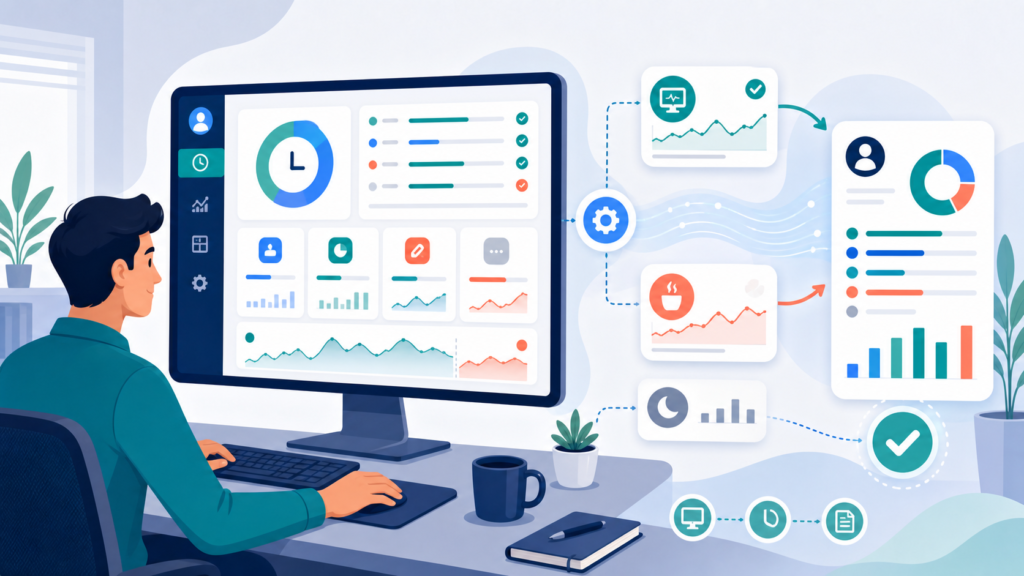
At its core, a desktop employee time tracking app monitors how time is spent on a computer — through active timers that employees start and stop, through an auto tracker that detects application usage passively, or through a combination of both. The tracked hours are stored against projects, clients, or tasks, and made available through reporting tools that give managers and individuals a clear view of where time goes across a working day.
The best desktop time tracking tools work in sync with a web app and mobile app, with real-time sync ensuring that time entries made on any device are immediately visible across the entire system. This cross-device consistency is what makes desktop time tracking software useful for teams rather than just individual users.

Key Benefits of Desktop Time Tracker Tool
Accurate Time Capture Without Manual Entry
The most significant benefit of a desktop app for time tracking is the elimination of manual entry. When a timer runs directly on the device where work is being done, the start and end times are recorded precisely. There is no need for employees to reconstruct their day at the end of a shift or enter hours manually into a separate system — both of which introduce estimation errors that compound across a pay period.
For businesses that need accurate time records for payroll, client billing, or employment standards compliance, this precision is not a convenience. It is a baseline requirement.
Always-On Access Without an Internet Connection
A key advantage of desktop time tracking software over web-only solutions is offline mode. When an employee is working without a reliable internet connection — on a job site with poor signal, in a client facility with restricted network access, or travelling between locations — a desktop app continues to record time locally. The stored data syncs automatically when connectivity is restored, with no loss of time entries and no need for the employee to enter hours manually after the fact.
This offline capability makes desktop software the more reliable choice for professionals who cannot guarantee consistent access throughout their working day.
Passive Time Tracking Through Automated Time Tracker and Browser Extension
Many desktop time tracking apps include an auto tracker that monitors which applications and websites are active and attributes time automatically, without requiring the employee to manage timers for every task. A browser extension extends this capability to web-based tools, capturing time spent in Gmail, project management platforms, Google Calendar, and other web apps that make up a significant portion of most knowledge workers’ days.
The result is a more complete and accurate record of time spent than any manually managed timer system can produce — particularly for employees whose work is fragmented across many short tasks that would never each be individually timed.
Project-Level Visibility for Project Managers and Teams
Desktop time tracking software that connects to project management features gives project managers real-time visibility into tracked hours against project budgets, team capacity, and client allocations. When time data flows automatically from the desktop app into project dashboards, decisions about resourcing, timeline risk, and billing accuracy can be made on current information rather than end-of-week estimates.
For teams managing multiple projects simultaneously, the ability to track time against unlimited projects — with custom reports and saved reports that break down time by project, client, or team member — is a core operational requirement, not a premium feature.
Who Uses Desktop Time Tracking Software
Productivity Tools for Small Teams and Growing Businesses
For small teams, desktop time tracking software provides the structure to manage billable hours, control labour costs, and support payroll accuracy without the administrative overhead of manual timesheets. A free plan on a capable platform is often sufficient to get started, with paid plans available when project management features, unlimited users, or advanced reporting tools become necessary.
The learning curve for most desktop time tracking apps is low. Platforms built for small teams prioritise a user-friendly interface and fast setup, so employees can begin tracking time accurately without extended training.
Freelancers and Personal Productivity
For freelancers managing personal productivity and client billing, a desktop time tracker is one of the highest-return tools available. Running in the background while client work is underway, it captures billable hours and non-billable hours separately, produces accurate time logs for invoicing, and removes the estimation that consistently understates time spent on client projects.
The ability to create invoices directly from tracked hours — or to export data to accounting software — closes the gap between time spent and revenue collected without requiring a separate billing workflow.
Monitoring Tools for Remote Teams and Distributed Workforces
Remote teams benefit particularly from desktop time tracking because it provides structured, consistent time capture across employees who are not in a shared physical environment. A desktop app running on each team member’s computer creates a uniform record regardless of location, which managers can review through real-time dashboards and custom reports without requiring timesheet submissions.
For Canadian employers managing remote teams across provinces, the combination of accurate tracked hours, detailed reports, and offline mode ensures that time data is reliable even when working conditions vary significantly.
Client-Facing Professionals and Billable Time Tracking
Legal professionals, consultants, designers, and IT service providers whose revenue depends on accurately tracking billable time cannot afford the underreporting that manual systems produce. A desktop time tracking app captures time at the task level, distinguishes billable time from non-billable hours, and produces the detailed records that support accurate client billing and dispute resolution when invoices are questioned.
Integration with accounting software such as QuickBooks Time, or with popular project management tools, allows billable time data to flow directly into billing and project tracking workflows without manual export and re-entry.
Desktop vs Mobile vs Web App: Understanding the Difference
Desktop time tracking software, mobile apps, and web apps serve different parts of a team’s workflow. A desktop app runs natively on a computer, supports offline mode, enables passive auto-tracking of application usage, and delivers reliable timer performance without depending on a stable internet connection. It is the most dependable tool for employees doing the majority of their work on a computer.
A mobile app extends time tracking to field workers and employees using GPS tracking for location-based clock-in and clock-out. A web app provides browser-based access from any device without software installation. Real-time sync between all three ensures that time entries are consistent regardless of access point.
Platforms like Toggl Track are specifically designed around this cross-device approach — desktop app, mobile app, web app, and browser extension working as one integrated time tracking system.
What to Look for in Desktop Automated Time Tracking Software
Not all desktop time tracking apps are built to the same standard. The following criteria help Canadian employers identify tools that will genuinely serve their teams.
Core Tracking Features
The platform should support unlimited projects with the ability to create projects, assign team members and clients, and edit time entries when manual correction is required — all without hitting artificial limits on free or entry-tier plans. Employees should be able to track time against tasks with a single click, switching between projects without interrupting the timer. The tracking tools built into the auto tracker should run without significant impact on computer performance.
Reporting and Export Capabilities
Custom reports filtered by employee, project, client, time period, and billable status are a minimum requirement for any business using time data for billing or payroll. The ability to export data to accounting software, generate saved reports, and share with clients or stakeholders adds significant operational value.
Integration With Existing Tools
Desktop time tracking software should integrate with the tools the business already uses. QuickBooks Time integrates with payroll and accounting workflows common to Canadian businesses. Google Calendar integration allows time entries to be matched against scheduled events. Popular project management tools including Asana, Trello, and Jira offer native integration with most leading time tracking platforms.
Free Plan Availability and Paid Plan Value
A genuinely useful free plan allows businesses to validate the platform before committing. Paid plans should add meaningful capability: unlimited users, advanced features, phone support, and detailed reports beyond what the free tier provides.
Why Choose Office Punch
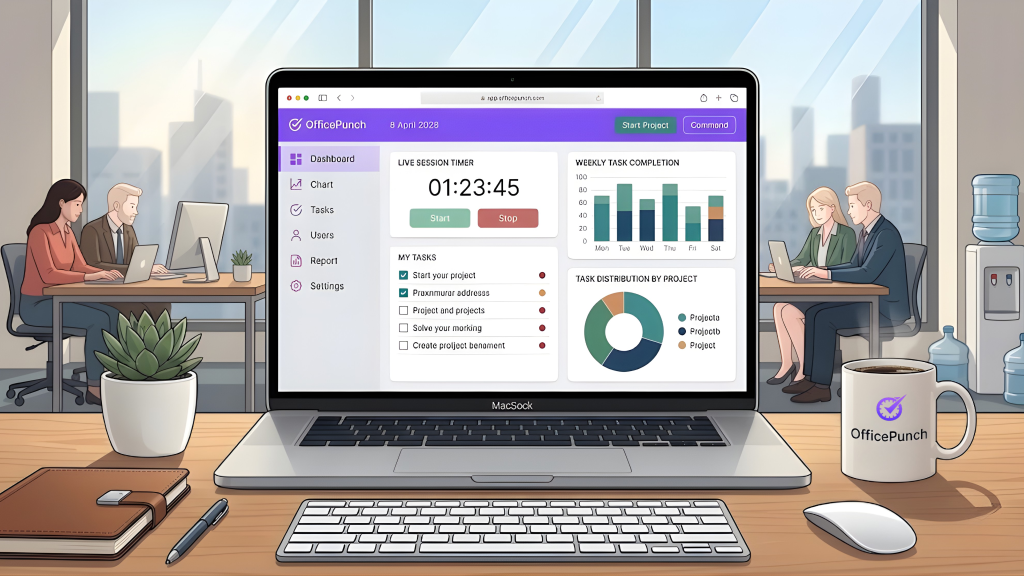
Office Punch gives Canadian businesses a desktop time tracking system built for the way office teams actually work — with attendance tracking, real-time reporting, and the compliance-grade records that Canadian employment standards require.
Where most time tracking software is built for project billing, Office Punch is built for workforce management. It tracks time accurately through desktop and laptop clock-in, produces detailed audit trails for every shift, and gives HR and payroll teams the verified time data they need to run accurate pay cycles — without manual re-entry or disconnected systems.
For small teams that need accurate attendance records alongside time tracking, Office Punch provides both on one platform — with a free plan to start and the advanced features to scale as the business grows. Canadian employers get the desktop time tracking capability they need, built with employment standards compliance at its core.
Frequently Asked Questions
What is desktop time tracking software and how does it differ from a web app?
Desktop time tracking software is a native application installed on a computer that tracks time locally, supports offline mode, and often includes an auto tracker for passive activity monitoring. A web app runs in a browser and requires an internet connection. The desktop app is more reliable for continuous tracking without connectivity. The best time tracking platforms provide both, with real-time sync between them.
Is there a free plan for desktop time tracking software?
Yes. Most leading platforms offer a free plan that includes core features: unlimited time entries, basic project tracking, and access through a desktop app, mobile app, and web app. Free plans typically limit advanced features such as custom reports and team management. For small teams or freelancers tracking personal productivity and basic client billing, a free plan is often entirely sufficient to start.
Can desktop time tracking software track billable hours automatically?
Yes. A desktop time tracking app can mark time entries as billable or non-billable by project or client. When an employee starts a timer against a client project, time is automatically classified per the billing rules set for that project. Billable time is then aggregated in reporting tools, exportable to accounting software, or used to create invoices directly — eliminating manual hour calculations at billing time.
What project management features should I look for in a time tracking app?
Look for the ability to create projects and sub-tasks, assign team members and clients, and set project budgets with tracked hours reported against them. Custom reports showing time against budget give project managers early warning of scope creep. Integration with popular project management tools like Asana or Jira allows time data to flow into existing workflows. Real-time dashboards showing team capacity are valuable for managers overseeing multiple projects.
Does desktop time tracking software work for online time tracker use cases without an internet connection?
Yes. This is one of the core advantages of a desktop app over a browser-based online time tracker. Desktop time tracking software stores time entries locally when there is no internet connection and syncs automatically when connectivity is restored. For employees working on job sites or in client facilities with unreliable access, offline mode ensures that tracked hours are never lost due to connectivity issues.
How does employee monitoring software differ from time tracking software?
Time tracking software records how long employees spend on tasks and projects — typically with employee awareness through timers or voluntary activity tracking. Employee monitoring software goes further, capturing screenshots, keystroke logs, or continuous recordings. In Canada, the latter requires explicit disclosure under PIPEDA and applicable provincial privacy laws. Most businesses tracking billable time and project hours need a time tracking app, not monitoring software — and that distinction matters legally and culturally.
Is desktop time tracking software suitable for small teams?
Yes. A desktop time tracking app with a free plan and user-friendly interface gives small teams the structure to manage billable hours and gain project visibility without significant investment or administrative overhead. Platforms designed for small teams prioritise fast setup and minimal learning curve, so employees begin tracking time accurately from day one without extended training or complex configuration.
Conclusion: Desktop Software as the Foundation of Accurate Time Tracking
Desktop time tracking software is not a niche tool for technical teams — it is a practical solution for any Canadian business where work happens on a computer and accurate time records matter. Whether the need is billable hours for client invoicing, tracked hours for payroll accuracy, project budgets for management visibility, or personal productivity data for individual improvement, a desktop time tracking app provides the most reliable and complete time data available.
The combination of offline mode, auto tracking, real-time sync, and integration with project management and accounting tools makes desktop software the strongest foundation for a time tracking system that works across every part of a Canadian team’s workflow.
Start with a free plan. Add capability as your team grows.
Disclaimer
This content provides general information about time tracking software and its application in Canadian workplaces. It is not legal advice. For guidance on employment standards obligations, privacy requirements related to employee monitoring, or payroll compliance, consult a qualified Canadian employment lawyer or HR professional.
Ready to see how Office Punch combines desktop time tracking with attendance management and payroll integration?
Book a demo and see how employers are building accurate, compliant time records — from the first clock-in to the final pay run with out free time tracking software.