Remote employee attendance is now a core part of business operations. Companies need clear systems to manage remote work, track work hours, and maintain employee productivity without creating confusion or trust issues.
Remote employee monitoring software helps businesses monitor remote employees, improve attendance accuracy, and maintain visibility across distributed teams while protecting company data and employee privacy.
Introduction
Remote work changed how companies manage employees work, attendance, and productivity tracking. Many businesses now struggle to monitor remote teams effectively across different remote work environments. Missed punch-ins, unclear work hours, idle time, and lack of visibility can affect team productivity and employee performance.
A structured remote workforce management process solves these issues. Businesses can use employee monitoring software and remote employee tracking software to track employee activity, measure productivity, and maintain accurate attendance records. With the right monitoring solution, companies can improve remote employee productivity while reducing potential security risks and data breaches.
Why Remote Employee Attendance Matters
Managing remote employee attendance is not only about tracking employee time. It also helps businesses maintain accountability, improve workforce utilization, and support remote employees consistently.
When companies manage remote work properly, they can:
- Track work hours accurately
- Monitor progress across remote teams
- Reduce attendance disputes
- Improve employee productivity
- Identify idle time patterns
- Maintain detailed reports for audits
- Protect sensitive data and company data
- Support remote employees performance
- Provide timely support to employees
Remote monitoring also gives managers valuable data about computer usage, app usage, and employee activity without creating unnecessary complexity.
Common Challenges in Remote Work Monitoring
Many businesses face issues when monitoring remote work. These challenges become more visible as remote teams grow.
Lack of Attendance Visibility
Managers may not know when employees start work or finish work. This creates gaps in remote employee attendance records.
Inconsistent Work Hours
Without a monitoring system, employees may forget to log employee time correctly. Some employees work irregular schedules, which affects maintaining productivity.
Idle Time and Productivity Gaps
Businesses often struggle to track productivity and understand time spent during work hours. High idle time may reduce remote employee productivity.
Security Concerns
Remote settings increase potential security risks. Businesses need systems that support data security and protecting company data.
Managing Distributed Teams
Distributed teams need structure. Managers must monitor remote teams effectively without creating pressure or affecting employee privacy.
How Employee Monitoring Software Helps
Modern employee monitoring systems help businesses effectively monitor remote workers while maintaining transparency.
A reliable employee monitoring tool gives managers visibility into attendance and employee activity without relying on manual records.
Key areas supported by monitoring software include:
- Time tracking
- Attendance automation
- Productivity monitoring
- Employee activity visibility
- Screen recording
- Computer usage reports
- App usage insights
- Detailed reports
- Employee monitoring data
- Productivity metrics
Remote employee monitoring software also helps companies monitor remote employees through desktop-based tracking instead of mobile-based tracking.
Key Features Businesses Should Look For
The best employee monitoring software should support remote work monitoring while keeping processes simple and secure.
Automatic Attendance Tracking
The monitoring system should start attendance tracking automatically during system startup on employee desktops or laptops. This reduces missed attendance logs.
Activity Visibility
Employee monitoring tracks employee activity, active time, idle time, and computer usage. Managers can measure productivity and identify gaps in employee performance.
Random Screen Recording
Some remote employee monitoring tools capture screenshots at random intervals. Employees cannot predict screenshot timing. This creates proof of work and improves accountability.
Geo-Location and IP Restrictions
Secure attendance systems support IP-based restrictions and geo-location restrictions for desktop-based punches. This prevents unauthorized attendance marking in remote settings.
Detailed Reports
Businesses need detailed reports to monitor progress, evaluate employee performance, and understand productivity metrics across remote teams.
Employee Privacy Controls
Good monitoring platforms balance employee monitoring with employee privacy. Businesses should clearly explain how monitoring employees works and what employee monitoring data is collected.
Best Practices to Monitor Remote Teams Effectively
Businesses should follow structured policies to monitor remote teams effectively without creating distrust.
Set Clear Attendance Policies
Employees should understand:
- Expected work hours
- Attendance rules
- Break policies
- Idle time expectations
- Monitoring procedures
Clear communication improves remote employee attendance compliance.
Use Transparent Monitoring Tools
Remote employee monitoring should remain transparent. Employees should know how tracking software works and what data the company collects.
Focus on Productivity Visibility
Managers should focus on productivity tracking, attendance accuracy, and employee activity visibility instead of excessive surveillance.
Review Productivity Metrics Regularly
Productivity monitoring helps businesses identify trends in employee performance and remote employees performance. Managers can provide timely support when productivity drops.
Combine Monitoring with Communication
Remote monitoring software works best when combined with regular team communication and workforce planning.
The Role of Time Tracking in Remote Workforce Management
Time tracking helps businesses maintain accurate attendance records and improve remote workforce management.
Attendance-focused tracking software helps companies:
- Measure productivity
- Track employee time
- Monitor remote employees
- Maintain accurate work hours
- Reduce manual attendance errors
- Improve team productivity
Businesses should remember that time tracking in remote work environments refers to attendance and activity-based tracking, not task management or billing functions.
How Monitoring Software Supports Data Security
Remote work increases exposure to data breaches and sensitive data risks. Remote work monitoring software helps businesses strengthen data security.
Monitoring platforms can help identify:
- Unauthorized app usage
- Suspicious computer usage
- Unusual employee activity
- Risks related to company data access
This visibility supports protecting company data while maintaining compliance standards.
Employee Monitoring Software Pros for Businesses
Many companies now consider remote monitoring software an essential part of remote workforce management.
Common employee monitoring software pros include:
- Better attendance visibility
- Improved productivity tracking
- Accurate work hour records
- Reduced attendance manipulation
- Improved accountability
- Better employee performance evaluation process
- Easier monitoring remote workers
- Improved remote employee productivity
- Stronger data security practices
The best employee monitoring systems also help businesses manage remote work without adding unnecessary complexity.
Why Choose Office Punch?
Office Punch is employee monitoring software designed specifically for businesses managing remote employees, hybrid teams, and distributed teams at scale.
It is not a project management tool. It does not track tasks, clients, or billing. Office Punch focuses entirely on what matters most for workforce management: attendance accuracy, activity visibility, and productivity tracking.
What sets Office Punch apart:
- Desktop-based tracking — Secure, accurate, and reliable without mobile dependency
- Auto clock-in on system startup — No manual input, no missed punches
- Dual location enforcement — IP approval and geo-boundary restrictions work together
- Random screenshot capture — Unpredictable timing means the data reflects real computer usage
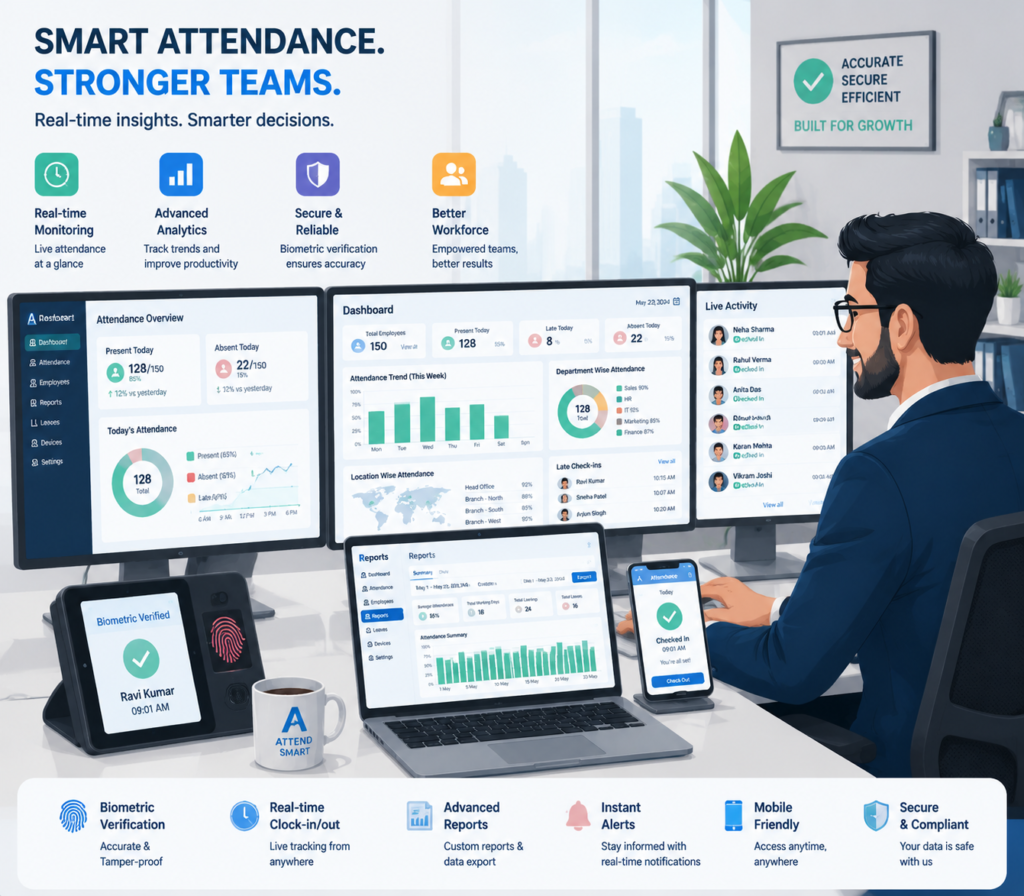
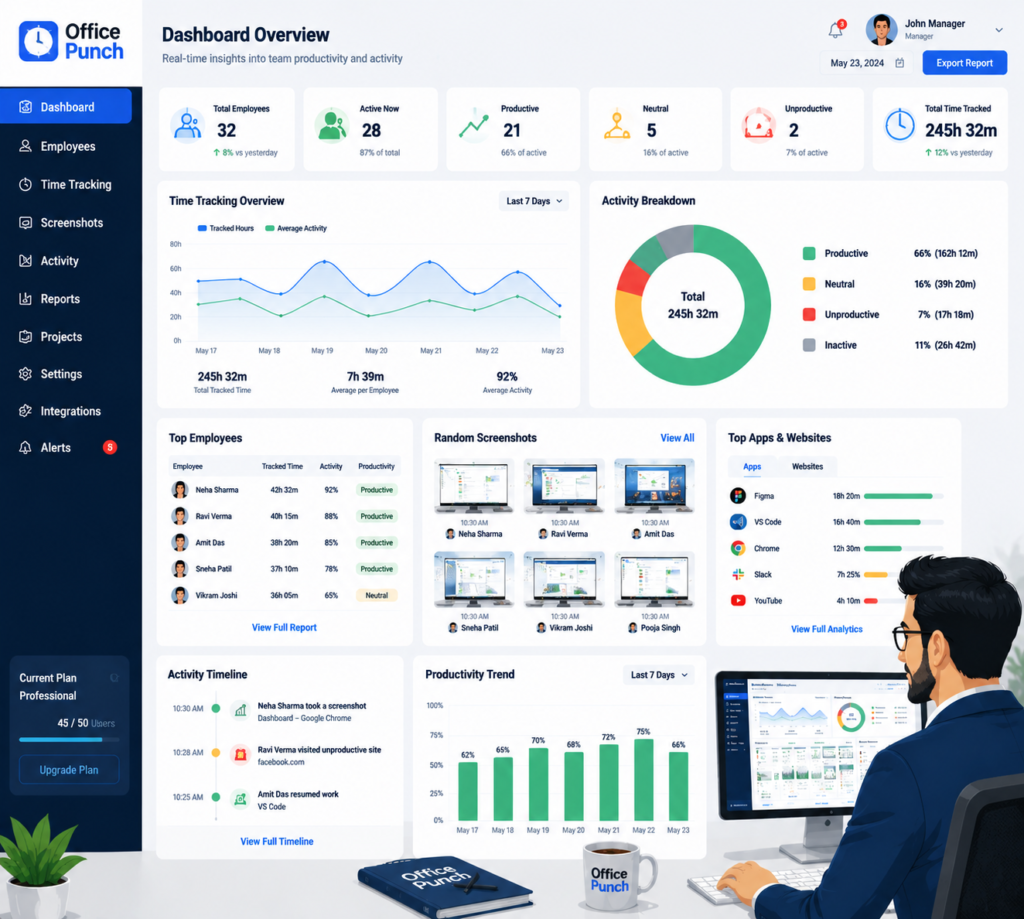
- Web dashboard for managers — All detailed reports, attendance logs, and productivity metrics in one place
- Activity reports — App usage, active vs idle time, and employee activity tracked automatically
- Scalable across distributed teams — Whether your remote workforce is five people or five hundred, Office Punch scales without complexity
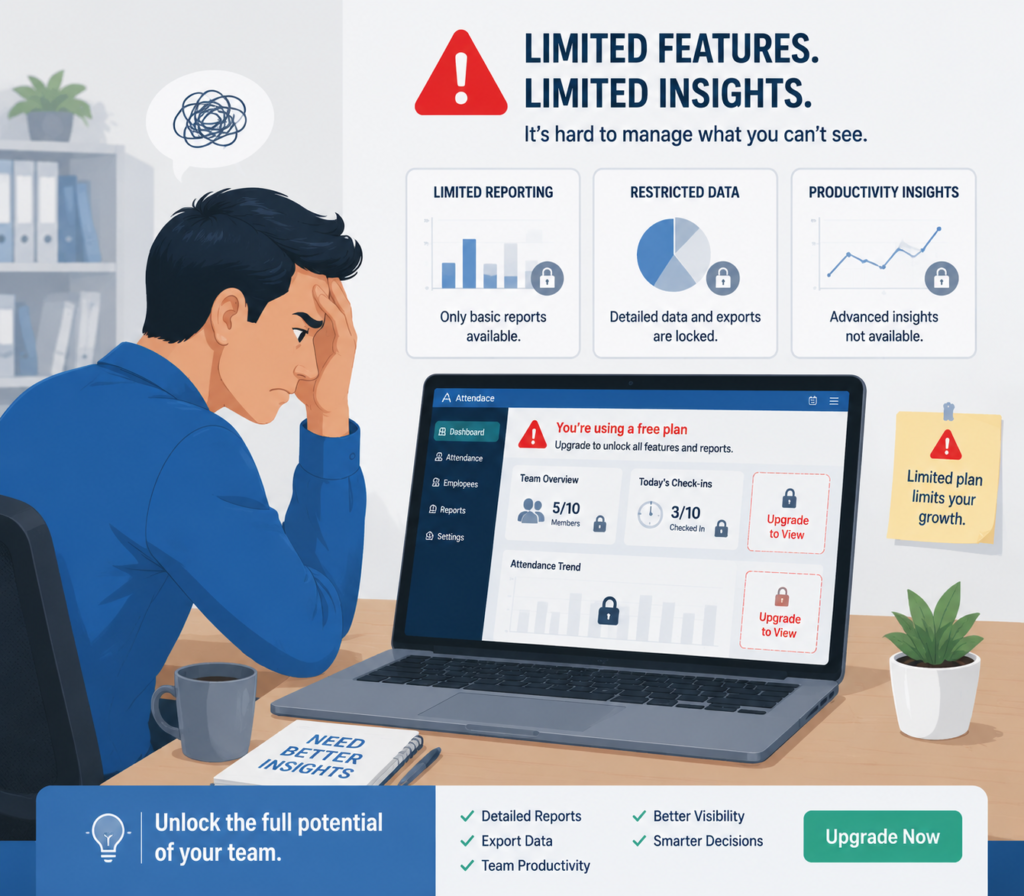
The free plan provides basic access but does not include time tracking, activity monitoring, or screenshot features. Those capabilities are available on the premium plan, which is built for organizations that need real productivity visibility.
Frequently Asked Questions
What is the best way to monitor remote employee attendance without micromanaging?
The best approach uses automated attendance software that tracks work hours and activity without requiring constant manager intervention. Systems like Office Punch use auto clock-in on system startup, activity monitoring, and detailed reports to give managers accurate data without micromanaging daily tasks. Managers review reports and act on patterns rather than monitoring employees in real time throughout the day.
How does geo-location-based attendance restriction work for remote employees?
Geo-location restrictions define approved physical boundaries from which employees can record attendance. Any punch attempt outside the set geo-boundary is blocked by the system. Office Punch supports both IP-based restrictions and geo-boundary enforcement, giving businesses two layers of control over where attendance can be recorded. This reduces attendance fraud and protects company data without requiring mobile tracking.
Does remote employee monitoring software violate employee privacy?
Responsible remote monitoring software focuses on work hours, app usage, and activity during declared work time — not personal activity on personal devices. Office Punch monitors attendance and computer usage on work-designated desktops during working hours. Employees are informed the system is in use. Clear policies and transparent monitoring practices protect both employee privacy and the business’s legitimate need for productivity visibility.
What is the difference between free and premium plans in Office Punch?
The free plan provides basic access to Office Punch but does not include time tracking, activity monitoring, or screenshot features. The premium plan unlocks full attendance automation, active and idle time tracking, random screenshot capture, app usage reports, and detailed productivity metrics. Businesses that need complete remote work monitoring and workforce management capabilities should use the premium plan.
How do detailed reports help managers improve remote employee productivity?
Detailed reports give managers factual data on work hours, idle time, app usage, and attendance patterns across remote teams. Rather than guessing where productivity drops, managers identify specific trends and provide timely support based on evidence. Office Punch’s web dashboard centralizes all employee monitoring data so managers can review team productivity metrics, compare remote employees performance, and make workforce decisions based on accurate information.
Conclusion
Remote work does not have to mean reduced visibility. The right remote employee monitoring software gives managers the data they need — work hours, attendance records, activity visibility, and productivity metrics — without disrupting the flexibility that makes remote work effective.
Office Punch delivers desktop-based attendance automation, dual location enforcement, and detailed activity reports built for the realities of managing distributed teams. Businesses that implement a structured monitoring system stop guessing and start leading with data.