A time tracking report is only useful if you know what to look for. For Canadian employers, HR managers, and team leads — whether managing small businesses, large teams, or remote teams — reading a time tracking report correctly means understanding which metrics reveal genuine performance patterns, which signal attendance or productivity problems, and which time data supports better decisions about staffing, scheduling, and workforce utilisation.
What Is a Time Tracking Report?
A time tracking report records the exact amount of employee time spent working over a defined period. It aggregates time entries from attendance logs, active time captures, and activity records into a structured summary — detailed timesheets that managers can analyse and act on.
Time tracking reports are generated by a time tracking app or employee time tracking app at the individual or team level — giving managers the ability to track time across the organisation in one view. They answer three core questions: where did work hours go, how does actual attendance compare to scheduled hours, and where are the patterns that should inform future decisions?
Automatic time tracking reduces administrative gaps by capturing employee time without relying on employees to log every hour manually. Unlike manual time tracking, where employees self-report hours after the fact, an auto tracker captures time data in real time — producing more accurate, tamper-resistant records. Effective reports focus on trends over time rather than daily snapshots — a single day is noise; a month of time data is a signal.

Key Metrics in Every Time Tracking Report
Total Hours Worked
Total hours worked is the foundational metric in any time tracking report. It shows the sum of all logging time entries across the reporting period — by employee, by team, or across the entire organisation. A reliable time tracker captures this automatically at the desktop level, so the figure reflects verified attendance rather than estimated or self-reported hours.
Total hours worked is used to verify that scheduled work hours align with actual output, to confirm payroll accuracy, and to identify whether workforce capacity is being used efficiently. When total hours consistently fall below scheduled hours, that gap points to idle time, attendance problems, or scheduling inefficiencies worth investigating.
Active Time vs Idle Time
For organisations using activity-based time tracking, the split between active time and idle time is one of the most operationally significant metrics in the report. Active time represents periods when the employee is engaged with their desktop app — working through tasks, producing output, and engaged across the browser window and other applications. Idle time represents periods during paid hours when no activity is detected.
A strong employee time tracking app separates active and idle time in reporting, giving managers a clear view of actual workforce productivity. Connecting logged hours to verified activity helps measure output accurately and reveals whether scheduled hours are translating into productive work or accumulating as undetected idle time.
Actual Hours vs Scheduled Hours
Managers use time tracking reports to compare actual hours worked against scheduled hours for each employee and team. This comparison is the earliest signal of attendance problems, chronic lateness, early departures, or unplanned absences — and it is far more reliable when drawn from a time tracker tool that captures clock-in and clock-out times automatically than from self-reported timesheets.
When actual hours consistently fall short of scheduled hours, the causes usually come down to: employees not clocking in on time, inadequate shift coverage, or workflow issues consuming time that should be going to productive work. Historical attendance data supports better staffing and scheduling decisions by surfacing these patterns before they become operational problems.
Attendance Breakdown by Employee
A time tracking report broken down by employee gives managers the workforce visibility that high-level summaries cannot provide. Which employees are consistently present and active? Which are showing patterns of late clock-ins, early departures, or extended idle periods? A team management view within the tracking app makes these distinctions visible at a glance — and an employee-level breakdown makes identification precise rather than approximate.
This granularity is particularly valuable for performance reviews and scheduling decisions, where knowing which specific employees are underperforming on attendance is more actionable than knowing the team is generally behind.
Activity Visibility and Proof of Work
For organisations using activity tracking, a screenshot-based proof of work record is one of the most valuable outputs of the time tracking report. Screenshots are captured at random intervals throughout the working day, ensuring verified evidence of productive activity at any given moment during logged hours — creating a reliable, authentic record of actual work in progress.
This data supports workforce accountability without requiring micromanagement. When managers can see verified activity snapshots alongside attendance records, the time tracking report becomes a complete picture of both presence and productivity rather than hours alone.
How to Read Patterns, Not Just Numbers
The most common mistake when reading a time tracking report is treating it as a scoreboard rather than a diagnostic tool. Individual numbers matter less than the patterns they form over time. This is where reporting tools earn their value — not in surfacing today’s numbers, but in revealing the trends that drive tomorrow’s decisions.
Trend Analysis Over Time
Comparing this month’s report against last month — or this quarter against the same quarter last year — reveals whether attendance compliance is improving, whether active time as a proportion of logged hours is increasing, and whether workforce capacity is scaling appropriately with workload. For small businesses and large teams alike, time tracking software that supports saved reports and customizable reports makes longitudinal analysis straightforward, providing the management features needed to monitor performance over meaningful timeframes.
Spotting Workforce Inefficiencies
Time tracking reports reveal areas for improvement that daily observation misses. If a team consistently shows high idle time during specific hours, that pattern points to a scheduling or workload allocation problem worth addressing. Automated time tracking that captures activity across applications — without relying on manual entry — produces the most reliable data for this analysis, because it reflects what actually happened rather than what employees remembered to log.
Using Reports for Personal Productivity
For individuals, a personal time tracking report is one of the most effective productivity tools available. Real-time tracking allows users to monitor their active and idle time across the day, and reviewing that data weekly reveals how work hours were actually distributed across priorities. Time blocking and focused work techniques become more effective when informed by accurate attendance and activity data — turning the time tracker into a personal instrument as much as a management tool.
Management Features That Make Reports More Useful
Not all time tracking reports are created equal. The management features built into time tracking software determine how useful the reports are in practice — and for remote teams, small businesses, and large teams managing distributed employees, those features matter significantly.
Custom and Saved Reports
Customizable reports filtered by employee, team, date range, or activity level allow managers to extract exactly the view they need. A user friendly interface that makes building and saving these filters straightforward reduces the learning curve for new managers, ensuring the reporting tools get used consistently rather than avoided. Saved reports that run automatically on a set schedule reduce administrative overhead, delivering consistent attendance and activity data without manual intervention.
Export Capabilities
The ability to export attendance and activity data from a time tracking report into HR systems or payroll-adjacent workflows extends the value of that data beyond the time tracking system itself. When verified work hours flow into workforce planning and payroll review processes, the reporting becomes an operational input rather than a retrospective document. The best employee monitoring software makes this export seamless — with options to export in formats compatible with other apps the organisation already uses.
Visual Summaries and Monitoring Tools
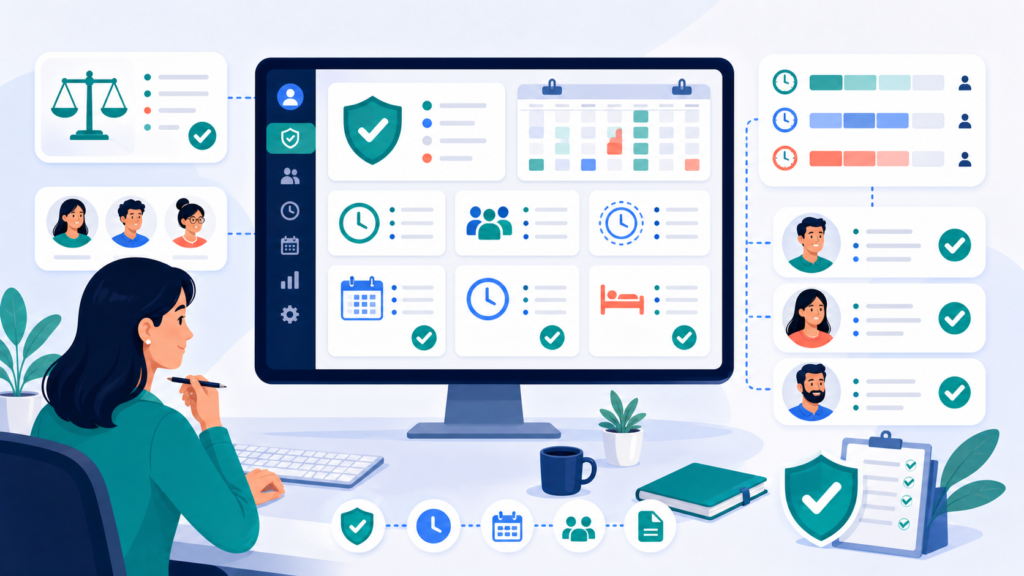
Visual summaries in time tracking reports make trends easier to understand, while detailed timesheets give managers the granular view needed for accurate attendance verification. Charts that show active time versus idle time by employee, attendance rates over the reporting period, or team capacity utilisation communicate patterns that raw numbers obscure. The best monitoring tools present both layers — visual summaries for high-level workforce analysis and detailed timesheets for line-by-line review.
Employee Monitoring and Reporting Accuracy
For employers using time tracking reports as part of broader activity monitoring, accuracy of the underlying data is critical. A report is only as reliable as the attendance and activity records that feed it — and that reliability depends on the quality of the employee monitoring software generating those records.
Automated time tracking reduces administrative gaps by capturing activity without relying on employees to manually log every hour. Whether managing remote teams working across different time zones or office-based teams across multiple locations, a desktop-based tracking app that captures employee time consistently — regardless of internet connection stability — ensures that time data remains complete and accurate. In Canadian workplaces, any employee monitoring beyond standard attendance logging — including activity tracking and screenshot capture — requires transparent disclosure to employees under PIPEDA and applicable provincial privacy legislation.
Transparent reporting in time tracking increases team accountability by giving employees and managers a shared, accurate view of how work hours are being used. When employees can see their own attendance and activity data alongside team summaries, discrepancies are identified and resolved at source.
Many time management apps and broader productivity platforms — including those that integrate with Google Calendar for schedule-matching — offer some form of time reporting. What separates a meaningful report from a basic log is whether the underlying data is verified, activity-based, and structured for management action.
Why Choose Office Punch
Office Punch is built for Canadian employers — from small businesses to large teams — who need attendance and activity-based time tracking that produces meaningful, actionable reports from desktop and laptop devices.
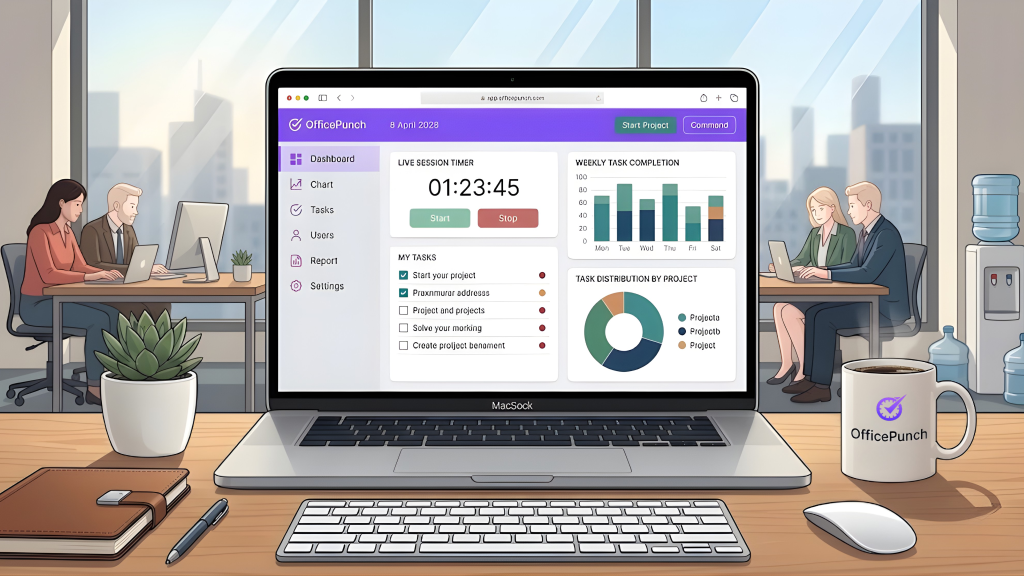
The platform captures clock-in and clock-out times automatically on system startup, tracks active versus idle time throughout the working day, and takes random-interval screenshots that provide verifiable proof of work — all visible through a real-time web app dashboard for admins with real time sync across the organisation. The advanced features available on premium plans include activity tracking, screenshots, detailed audit trails, and customizable reports — giving HR managers and team leads complete workforce visibility through a user friendly interface with a minimal learning curve.
With IP-based and geo-location-based punch restrictions, attendance records are captured from approved locations only — delivering verified, tamper-resistant time data across all locations. The free plan gives teams access to basic features including clock-in and clock-out records, while premium plans unlock the full reporting suite — activity reports, province-specific overtime tracking, unlimited users, and the advanced workforce analytics Canadian employers need for employment standards compliance.
Frequently Asked Questions
What is a time tracking report and what should it include?
A time tracking report records logged employee time and workforce activity over a defined period. Key components include total hours worked, active time versus idle time, actual attendance against scheduled hours, and an employee-level breakdown. Free time tracking software typically covers basic features like time entries and attendance summaries. Advanced reporting — including activity tracking, customizable reports, and proof of work screenshots — is where a dedicated employee time tracking app delivers the most management value.
Which time tracking software generates the most useful reports for Canadian employers?
The most useful time tracking reports for Canadian employers come from a tracking app that supports attendance records, active and idle time, screenshot-based proof of work, customizable reports, and province-specific overtime visibility. Office Punch delivers all of these through a web app dashboard, with verified desktop-based attendance data and random-interval activity screenshots — giving managers a complete, accurate picture of workforce productivity built on real time data.
How do I use a time tracking report to improve team productivity?
Read the report for patterns rather than individual data points. Compare active hours against total logged hours, actual attendance against scheduled shifts, and idle time across team members. Time tracking reports surface workforce inefficiencies that daily observation misses. Reporting tools that generate automated summaries and visual breakdowns make these patterns easier to identify — turning raw time data into actionable decisions about scheduling, team management, and productivity improvement.
What is the difference between active time and idle time in a time tracking report?
Active time refers to periods when an employee is verified as working — engaged with their desktop app, using applications, and producing output during logged hours. Idle time refers to periods when no activity is detected during paid hours. A time tracker that separates these categories gives managers a clear productivity view beyond raw attendance hours — making it possible to identify patterns of unproductive time spent and address them with scheduling or workload adjustments.
What does the free plan include for time tracking reports?
Office Punch offers a free plan that gives teams access to basic features — including attendance clock-in and clock-out records — providing a solid foundation for structured time tracking without premium commitment. Employers who want the full picture of free time converted into verified productivity data — active versus idle time reports, random-interval proof of work screenshots, customizable reports, and province-specific overtime tracking — get all of that on a premium plan, purpose-built for Canadian workforce compliance and productivity visibility. Advanced features like activity tracking, unlimited users, and detailed timesheets are premium plan inclusions.
How does employee monitoring connect to time tracking reports?
Activity monitoring data — active time, idle time, and random-interval screenshots — feeds into time tracking reports when a desktop-based tracking app captures it automatically. This gives managers a more complete picture of how employee time is being used than attendance records alone. In Canada, activity monitoring beyond standard attendance logging requires transparent disclosure under PIPEDA and applicable provincial privacy laws. Office Punch supports compliant, transparent workforce monitoring with employee-visible time data.
What time tracking tools features matter most for reading workforce reports?
The most important features for reading meaningful workforce reports are real-time attendance data, active versus idle time breakdowns, screenshot-based proof of work, customizable report filters by employee and date range, export data capabilities, and saved reports for consistent longitudinal analysis. IP-based and geo-location-based punch restrictions ensure the underlying time data is verified — so the reports managers read reflect actual presence and activity across all locations and work arrangements.
Conclusion: A Report Is a Decision-Making Tool
A time tracking report is not a record of the past — it is a tool for better decisions about the future. When you know which metrics matter and how to read attendance and activity patterns over time, the report becomes one of the most valuable outputs your time tracking software produces.
Total hours worked, active versus idle time, actual attendance against scheduled hours, and proof of work activity — these metrics, read consistently, give Canadian employers and HR managers the data to improve scheduling, attendance compliance, and workforce productivity without guesswork.
Disclaimer
This content provides general guidance on time tracking reporting practices for Canadian employers. It is not legal advice. Employment standards obligations and privacy requirements vary by province. Consult a qualified Canadian employment lawyer or HR professional for advice specific to your organisation.
Ready to turn attendance and activity data into decisions? Book a demo with Office Punch and see how Canadian employers are using verified desktop time tracking and real-time reports to manage their teams with confidence.