Time tracking for freelancers and time tracking for employees serve fundamentally different purposes — one drives revenue, the other drives compliance. Understanding those differences helps both freelancers and the businesses that hire them choose the right tools, apply the right metrics, and avoid the common mistakes that lead to underbilling, payroll errors, and wasted administrative hours. This blog post will analyse in detail time tracking for freelancers vs the same for employees.
Why the Purpose of Time Tracker Differs
For freelancers, time tracking is a billing instrument. Every hour tracked is a potential invoice line. Accurate billable hours translate directly into revenue — and untracked hours are revenue permanently lost. The primary goal of time tracking for freelancers is to capture all billable time, separate it cleanly from non billable time, and produce records that support accurate invoicing without dispute.
For employees, time tracking is a compliance and workforce management instrument. The goal is to verify that hours worked are correctly recorded, that overtime rules are applied accurately, and that payroll calculations are based on verified time data rather than estimates. Employees are not tracking time to bill a client — they are tracking time to ensure they are paid correctly and that their employer meets employment standards obligations.
This distinction shapes everything: which features matter, which tools fit, and how time tracking data is used once captured.
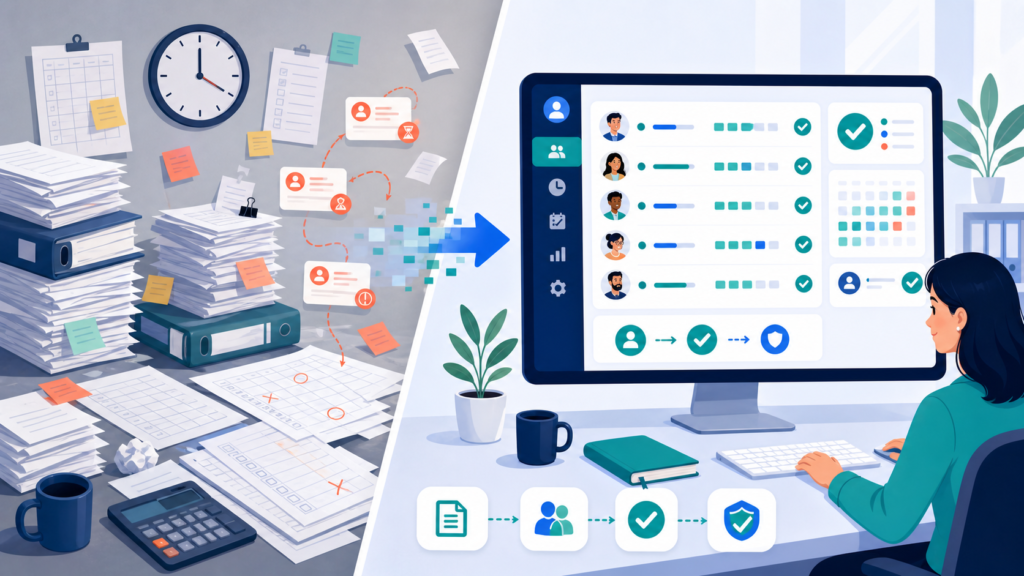
What Freelancers Need From Time Tracking
Accurate Billable Hours at the Task Level
The most critical feature for any freelance time tracking setup is task-level billable hours capture. Freelancers working across different projects for multiple clients need to track time against each client and each task independently — and to distinguish billable time from non billable hours such as administrative work, business development, and internal project planning.
A time tracking app that allows freelancers to set billable rates per project or per client, log time entries against specific tasks, and separate billable time from non billable time in reporting gives freelancers the data they need to bill clients accurately and analyse project profitability over time.
Invoicing Capabilities and Export Data
Tracking billable hours is only valuable if that data flows efficiently into invoicing. The best time tracking tools for freelancers include built in invoicing or direct integration with accounting platforms — enabling invoice generation directly from tracked time entries without re-entering data. Where built in invoicing is not available, the ability to export data to a CSV or accounting tool is the minimum acceptable substitute.
Freelancers who bill hourly across multiple clients benefit from time tracking software that supports different billable rates per project, so invoices are generated with the correct rate applied automatically.
One-Click Timer and Automatic Tracking
Freelancers working across many short tasks cannot afford the friction of manually logging time for every context switch. A one click timer that starts and stops with minimal interruption — or automatic tracking that detects computer activity and attributes time to the active task — captures time that would otherwise go unrecorded. Browser extensions extend this into web-based tools, capturing time spent in Google Docs, project management platforms, and email without a separate timer.
Project Profitability and Reporting Features
Time tracking data shows freelancers which projects are profitable and which are not. When tracked time is compared against the project budget or fixed-fee quote, freelancers can identify scope creep early and have billing conversations from documented data. Detailed reports by client, project, or time period support pricing decisions and give freelancers the visibility needed to manage capacity effectively.
What Employees Need From Time Tracking
Verified Hours for Payroll Accuracy
For employees, time tracking produces a verified record of hours worked that supports accurate payroll calculations — recording start and end times, break periods, and total daily and weekly hours in a way that is auditable and consistent with provincial employment standards. Employees are not tracking time to bill a client. They need a tracking tool that is simple to use and produces records that managers can review and approve before the payroll cycle closes.
Overtime and Compliance Tracking
Canadian employees are protected by provincial employment standards that set specific overtime thresholds, rest period requirements, and record-keeping obligations. A time tracking tool used for employee payroll must flag when an employee is approaching an overtime threshold, calculate overtime pay correctly based on the applicable provincial standard, and retain records for the required period. For employers managing staff across multiple provinces, the tracking tool must handle different overtime rules by jurisdiction without manual calculation.
Team Management and Manager Visibility
Where freelancers manage their own time tracking independently, employee time tracking operates within a team management structure. Managers need real time visibility into which employees have logged hours and whether totals align with the schedule. Reporting features that surface this information without requiring manual review of every time entry are essential at any meaningful team size.
Key Differences: Freelancers vs Employees at a Glance
The core differences between freelance time tracking and employee time tracking come down to purpose, audience, and the features that matter most.
Freelancers track time to bill clients and analyse project profitability. Employees track time to support accurate pay and employment standards compliance. Freelancers need billable rates, invoicing capabilities, and detailed project-level reporting. Employees need verified attendance records, overtime tracking, and manager-level visibility.
Both need time tracking software that is reliable, easy to use, and capable of producing accurate records — but the specific tools and configurations that serve each group well are often different.
Choosing the Right Automatic Time Tracking App
For Freelancers: What to Prioritise
Tracking apps for freelancers should prioritise billable hours tracking, project profitability reporting, invoicing capabilities or export data flexibility, automatic tracking to capture time across context switches, and a user friendly interface that minimises the administrative overhead of time management.
A free time tracking app or free plan is a practical starting point for freelancers with straightforward billing needs and a small number of clients. Most free time tracking software covers one click timers, basic project tracking, and time entries — enough to capture billable hours accurately without a paid subscription.
As client volume grows and reporting needs become more complex, paid plans unlock more features: detailed reports by client and project, automated time tracking, real time project tracking against budgets, and integration with other apps including accounting software and project management tools.

Toggl Track as a Benchmark for Freelancers
Toggl Track is one of the most widely used tracking tools for freelancers globally. It offers a generous free plan, a clean one click timer interface, browser extensions for passive time capture, and reporting features that give freelancers visibility into billable hours by project and client. Its desktop app, mobile app, and web app work with real time tracking sync, so time entries are consistent regardless of which device the freelancer is working on.
For Canadian freelancers evaluating time tracking apps, Toggl Track sets a useful benchmark: a tool that supports accurate billable hours tracking, handles non billable time separately, and produces the time tracking data needed for accurate invoicing without a steep learning curve.
For Employees: What to Prioritise
Employee time tracking tools should prioritise ease of clock-in, overtime rule compliance, manager-level reporting, and integration with the payroll process. Automatic tracking that runs from a desktop app reduces the friction that causes missed entries — the single most common source of payroll errors in teams that rely on manual time entry.
For remote teams especially, a tracking tool that works consistently across working environments — without requiring GPS tracking or mobile device dependency — simplifies adoption and reduces the administrative burden of chasing missed or incorrect time entries.
Can the Same Tool Serve Both?
Some organisations work with a mix of employees and freelance contractors, and want a single time tracking platform to serve both groups. This is achievable if the platform supports separate billing configurations for contractors, flexible project tracking across different work arrangements, and reporting that distinguishes billable contractor hours from payroll-tracked employee hours.
The risk of using a single tool for both groups without clear configuration is that billable time intended for client invoicing is mixed with non billable employee time, making reports unreliable for either purpose. Clear project and user-level configuration prevents this — but it requires deliberate setup, not default settings.
Why Choose Office Punch
Office Punch is built for Canadian employers managing employee time tracking on desktop and laptop devices — with the attendance records, overtime tracking, and reporting tools that payroll accuracy and employment standards compliance require.
For businesses that also work with freelance contractors on a project basis, Office Punch provides the structured time logging and detailed reports that give managers visibility across both employee and contractor time from a single platform — without the billing complexity of freelance-focused tools.
Office Punch has all the features a freelancer needs for time tracking their business. With a free plan for smaller teams and premium plans that add custom reports and advanced tracking features, Office Punch gives Canadian businesses a reliable, desktop-based time tracking foundation that scales with the organisation.

Frequently Asked Questions
What is the best time tracking app for freelancers?
The best time tracking app for freelancers combines accurate billable hours tracking at the task level, a one click timer or automatic tracking, invoicing capabilities or export data for billing, and detailed reports by client and project. Toggl Track and Clockify are widely used for these reasons. A free plan on both covers core time tracking for freelancers with straightforward billing needs.
Do employees need different time tracking tools than freelancers?
Yes. Time tracking for freelancers centres on billing — capturing billable hours, separating non billable time, and generating invoices. Employee time tracking centres on compliance — verifying hours worked, applying overtime rules, and maintaining records that meet provincial employment standards. The tracking tool features that matter most differ significantly, and a tool optimised for freelance billing often lacks the payroll compliance and team management features employee time tracking requires.
Is free time tracking software good enough for billable hours?
For freelancers with a small number of clients and straightforward billing, free time tracking software covers the core need: a timer, project tagging, time entries by client, and basic reporting. Where free plans fall short is in automated time tracking, real time project tracking against budgets, and built in invoicing. Freelancers with complex billing needs across many clients typically find paid plans worthwhile.
How do tracking apps help freelancers bill clients accurately?
Tracking apps for freelancers capture time against specific clients and tasks in real time — eliminating the estimation error that comes from logging time after the fact. When the time tracking app records exactly how long each task took, the invoice reflects actual time spent rather than a guess. This produces more accurate invoicing, reduces client disputes, and gives freelancers documented records to support every invoice line item.
What automated tracking features are most useful for remote teams?
For remote teams, the most useful automated tracking features are automatic time capture from desktop activity and real time visibility for managers into who has logged hours. Automated tracking that runs from a desktop app and syncs in real time removes the manual steps that generate missed entries and payroll errors — making it the most reliable option for distributed teams where manual time entry is inconsistently completed.
Can time tracking tools integrate with other apps for invoicing and project management?
Yes. Most time tracking software supports integration with other apps including accounting software, project management tools, and Google Calendar. For freelancers, integration with invoicing platforms lets billable time flow directly into client invoices. For employees, integration with payroll software ensures verified hours transfer accurately into the pay cycle. Checking compatibility with existing tools before committing to a tracking tool avoids integration gaps later.
What is billable time and how is it different from non billable hours?
Billable time is the hours charged to a client — direct project work, client calls, research, and deliverable creation. Non billable hours are the hours that support the business but are not charged — administration, business development, training, and internal meetings. Time tracking software that separates these categories automatically, based on project configuration, gives freelancers accurate data for both invoicing and understanding the real cost of running their business.
Conclusion: Match the Tool to the Purpose
Time tracking for freelancers and time tracking for employees are not the same activity dressed differently — they are different instruments serving different goals. Freelancers need tools built around billable hours, project profitability, and accurate invoicing. Employees need tools built around verified attendance, overtime compliance, and payroll accuracy.
Choosing the right time tracking app starts with being clear about which problem you are solving. When the tool matches the purpose, time tracking stops being an administrative burden and starts being one of the most valuable sources of operational data a business or freelancer has.
Disclaimer
This content provides general information about time tracking practices for freelancers and employees in the Canadian context. It is not legal advice. Employment standards obligations vary by province. Consult a qualified Canadian employment lawyer or HR professional for advice specific to your situation.
Ready to give your team accurate, compliant time tracking from desktop and laptop devices? Book a demo with Office Punch and see how Canadian businesses are building the verified time records that payroll accuracy depends on.