Time tracking screenshots are legal in Canada — but only when employees are informed, consent is obtained, and data collection is proportionate to a legitimate business purpose. Whether you are managing remote employees or reviewing your existing monitoring approach, understanding where the legal line sits is essential before deploying any screenshot monitoring tool.
This guide covers what Canadian law requires, what ethical screenshot monitoring looks like in practice, and how to build a transparent approach that gives your business the visibility it needs without exposing it to legal or cultural risk.
What Is Screenshot Monitoring in Time Tracking?
Time tracking screenshots are images of an employee’s computer screen captured automatically during logged work hours by a time tracker with screenshots built into the desktop app. Many time tracking tools include a screen capturing feature as part of their employee monitoring software suite — taken at predetermined intervals and uploaded to a centralised dashboard where project managers and team members can review visual records alongside logged hours.
Employee screenshot monitoring provides visual proof of work completed during active sessions and creates an accountability layer for managing remote teams that attendance records alone cannot supply. These tools help track progress against deliverables, connecting time entries to visible output. Screenshot data should be used for coaching and tracking productivity — overly aggressive monitoring can make team members feel surveilled in ways that damage trust and reduce the very output it was meant to boost.
How Screenshot Monitoring Works
A desktop time tracker with screenshot capability runs in the background on the employee’s device. Employees track time against their work sessions, and at set intervals — typically every 10 minutes, though customizable screenshot intervals are available — the tool captures the user’s computer screen including all open applications and active browser windows. Some tools also support URL tracking to log which websites were active during logged hours.
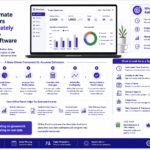
Captured screenshots are uploaded automatically to a web app dashboard where managers can review them alongside detailed reports, app usage data, and billable hours records. Optional screenshot monitoring settings allow organisations to toggle the screen capturing feature on or off by team, role, or individual. Optional screenshots rather than mandatory capture can be appropriate for teams where trust is well established. Random screenshots at unpredictable intervals produce more authentic records since employees cannot predict when captures will occur.
Are Time Tracking Screenshots Legal in Canada?
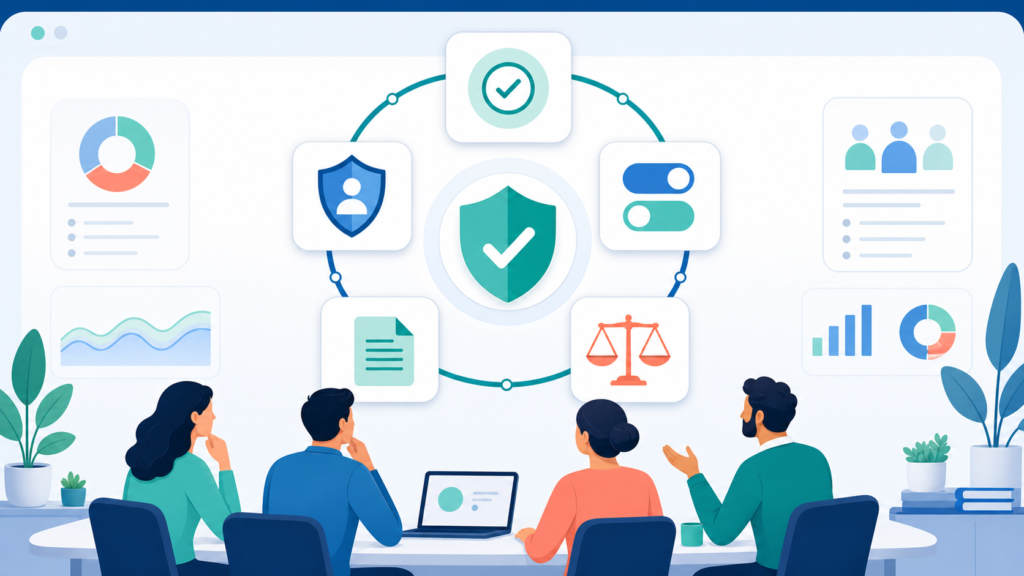
Screenshot tracking is legal in Canada only with employee consent and transparency. The legal framework sits across federal and provincial legislation.
Federal Requirements Under PIPEDA
Under PIPEDA, employers must inform employees of the purpose for collecting personal information, obtain meaningful consent before collection begins, and limit data collection to what is necessary for that stated purpose. Screenshot monitoring that captures sensitive data beyond what the business purpose requires — including personal communications or activity outside working hours — risks violating PIPEDA’s proportionality requirements.
Provincial Requirements
British Columbia, Alberta, and Quebec each have their own private-sector privacy legislation — PIPA in BC and Alberta, and Law 25 in Quebec. Quebec’s Law 25, substantially updated in 2023, includes mandatory privacy impact assessments for new technology deployments involving personal data.
Ontario’s Working for Workers Act, 2022 (S.O. 2022, c. 7) requires employers with 25 or more employees to maintain a written electronic monitoring policy disclosing whether employees are monitored, what monitoring involves, and how that data is used. Screenshot monitoring must be disclosed in this policy.
The Consent Requirement
Employee consent must be informed — employees need to understand that screenshots are being captured, at what frequency, how long images are retained, who can view them, and how they may be used. Transparency in monitoring builds trust that covert approaches permanently undermine. For jurisdiction-specific guidance, refer to the Office of the Privacy Commissioner of Canada at priv.gc.ca.
What Makes Screenshot Monitoring Ethical
The legal threshold and the ethical threshold are not the same. A practice can be technically lawful while still damaging team performance. Ethical screenshot monitoring meets a higher standard.
Disclose Everything Before Deployment
Before any screenshot feature is activated, employees should receive a written policy covering what is captured, when, why, and how the data is protected. This is the foundation of a monitoring relationship that employees can accept. Many time tracking tools include built-in policy templates to simplify this step.
Capture Only What Is Necessary
Optional screenshot monitoring and customizable screenshot intervals allow employers to set a frequency that meets oversight needs without tipping into surveillance. Applying optional screenshots to roles that genuinely need them — rather than enabling mandatory capture across the entire organisation — keeps data collection proportionate.
Protect Sensitive Data
Most tracking software with screenshots includes options to disable screenshots for specific applications or blur sensitive data before review. When an employee’s screen inadvertently captures personal financial information, private communications, or health records, these controls are both a legal safeguard and a practical necessity under PIPEDA and applicable provincial privacy legislation.
Use Data to Support, Not Surveil
Project managers can use visual evidence to track progress, spot workflow bottlenecks, and support team members — not treat screenshots as a disciplinary record. Regular screenshot capture helps identify productivity patterns that inform workload decisions and boost productivity across remote work arrangements.
Choosing the Right Screenshot Monitoring Tool
Time tracking software market is projected to grow to $12.3 billion by 2030. Time tracking software helps identify underutilized resources in organizations. The screenshot time tracking market includes a wide range of tools — from basic time tracking platforms to comprehensive employee monitoring software with deep analytics. Many time tracking tools connect via project management integrations with project management tools like Asana or Jira, allowing screenshots and time data to sit alongside task management and project timelines. Some platforms support a browser extension for capturing time in web-based tools, or mobile apps for employees who split time between desktop and field work. For businesses that need to track billable time, URL tracking adds accountability alongside visual screenshots.

Not all time tracking software with screenshot capability is built to the same standard. The following features determine whether a screenshot time tracker genuinely serves the employer’s needs while respecting employee privacy.
Optional Screenshot Monitoring and Customizable Intervals
Many time tracking tools offer optional screenshot monitoring — allowing employers to enable or disable the screen capturing feature by team, role, or project. Customizable screenshot intervals give employers control over capture frequency, from every few minutes to every hour. This flexibility is essential for organisations that need different oversight levels across departments or that want to apply basic time tracking to some roles and fuller activity monitoring to others.
Task Management and Manual Time Entries
Effective employee monitoring software supports task management features that let employees log what they are working on alongside their tracked time. Manual time entries allow employees to add context to their sessions — useful for offline work or meetings outside standard tracking windows. These entries, combined with visual screenshot records, give project managers a complete picture of how time spent translates into team performance.
Random vs Fixed Screenshot Intervals
Random interval snapshots produce more authentic visual records since employees cannot predict when captures occur. Fixed-interval captures are taken at set times — for example every ten minutes — and can be less representative if employees adjust behaviour around known capture points. Customizable screenshot intervals on both models give employers flexibility to match monitoring intensity to the role.
Screenshot Review and Deletion Controls
A compliant system gives both employers and employees the ability to review and delete sensitive screenshots before they enter the permanent record. This control is particularly important where employees regularly work with legally or commercially sensitive material on screen.
Idle Time Detection
Idle time detection works alongside screenshot capture to distinguish active work hours from periods of inactivity. When an employee is away from their device, the desktop time tracker logs that period as idle rather than active — producing more accurate time records and more representative screenshots of genuine productive work.
Data Security and Retention Controls
Captured screenshots contain visual records of everything on an employee’s screen — making data security a primary concern. Screenshot monitoring software should encrypt images in transit and at rest, enforce access controls, and apply clear retention policies. Under PIPEDA and applicable provincial privacy laws, employers must protect employee data and not retain personal information beyond what is necessary for the original monitoring purpose.
Why Choose Office Punch
Office Punch gives Canadian employers screenshot monitoring that is transparent, proportionate, and built for compliance from the start.
The platform takes random-interval screenshots throughout the working day on desktop and laptop devices — so managers receive authentic visual records of active work rather than staged activity. Screenshots are surfaced through a secure web app dashboard, with access controls that ensure only authorised administrators can review captured images. Employees are informed of screenshot capture as part of the onboarding process, supporting the consent and disclosure requirements that Canadian privacy legislation requires.
On the premium plan, screenshot monitoring works alongside active and idle time tracking, detailed reports, and IP-based and geo-location-based punch restrictions — giving Canadian employers a complete picture of remote work activity built on verified, tamper-resistant data. Premium plans support unlimited users and include top class customer service, so your team gets the support it needs during setup and beyond. The free plan provides basic time tracking access, while premium plans unlock the full screenshot monitoring and activity reporting suite.

Frequently Asked Questions
Are time tracking screenshots legal for Canadian employers?
Time tracking screenshots are legal in Canada when employees are informed, consent is obtained before deployment, and data collection is proportionate to the stated business purpose. PIPEDA governs federally regulated employers, while BC, Alberta, and Quebec have equivalent provincial legislation. Ontario employers with 25 or more employees must include screenshot monitoring disclosure in their written electronic monitoring policy under the Working for Workers Act, 2022.
What time tracking software includes a screenshot feature?
Most professional desktop time tracker platforms include a screenshot feature as part of their activity monitoring suite. The best options allow customisable screenshot intervals, random capture timing, idle time detection, and the ability to delete sensitive screenshots. Office Punch includes random-interval screenshot monitoring on its premium plan, integrated with active and idle time tracking and detailed time reports through a secure web app dashboard.
Can employees delete or blur sensitive screenshots?
Many tracking software platforms allow employees or administrators to delete sensitive screenshots or blur portions of captured images before they enter the permanent record. This is an important data security control for workplaces where employees regularly handle legally sensitive, commercially confidential, or personally identifiable information on screen during work hours.
Is a free plan sufficient for screenshot time tracking?
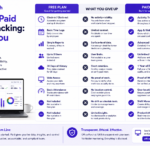
A free plan on most desktop time tracker platforms covers basic attendance records and time entries, but screenshot monitoring is almost always a premium feature. For employers who need screenshot capture as part of their remote employee oversight, a premium plan is the appropriate starting point. Office Punch’s free plan covers basic attendance tracking without activity monitoring.
How do random screenshots differ from fixed-interval screenshots?
Random screenshots are taken at unpredictable intervals during active work sessions, producing more authentic visual records since employees cannot adjust their behaviour around known capture points. Fixed-interval screenshots are taken at set times — for example, every ten minutes. Most professional screenshot time tracker tools offer both options, with random intervals generally preferred for managing remote employees.
How should screenshot data be used to protect data security?
Screenshot data should be stored with encryption, accessed only by authorised administrators, and deleted according to a documented retention policy. Sensitive screenshots captured unintentionally should be identified and deleted promptly. Under PIPEDA and applicable provincial privacy laws, employers must protect employee data and not retain personal information beyond what is necessary for the original monitoring purpose.
What is the best free time tracker with screenshot monitoring?
Most platforms position screenshot monitoring as a premium feature rather than a free plan inclusion. For Canadian employers, the priority should be finding a desktop time tracker that offers transparent screenshot policies, customisable intervals, idle time detection, and compliance-ready data security controls. Office Punch offers screenshot monitoring on its premium plan, built specifically for Canadian workplace compliance requirements.
Conclusion: Legal, Ethical, and Effective — When Done Right
Time tracking screenshots are a legitimate and effective tool for managing remote employees and verifying active work hours — but only when implemented with full transparency, meaningful employee consent, and proportionate data collection.
In Canada, the legal framework is clear: inform employees, obtain consent, limit collection to what the business purpose requires, and protect what you capture. Organisations that build their screenshot monitoring approach on these principles find that it supports team productivity and trust rather than undermining them. Screenshots are not surveillance — when used correctly, they are simply accurate records of the work done.
Disclaimer
This content provides general guidance on screenshot monitoring practices and Canadian privacy law obligations. It is not legal advice. Legal requirements vary by province and employment type. Consult a qualified Canadian employment lawyer before implementing any screenshot monitoring software in your workplace.
Ready to implement transparent, compliant screenshot monitoring for your remote team? Book a demo with Office Punch and see how Canadian employers are building verified, ethical activity tracking from desktop devices.